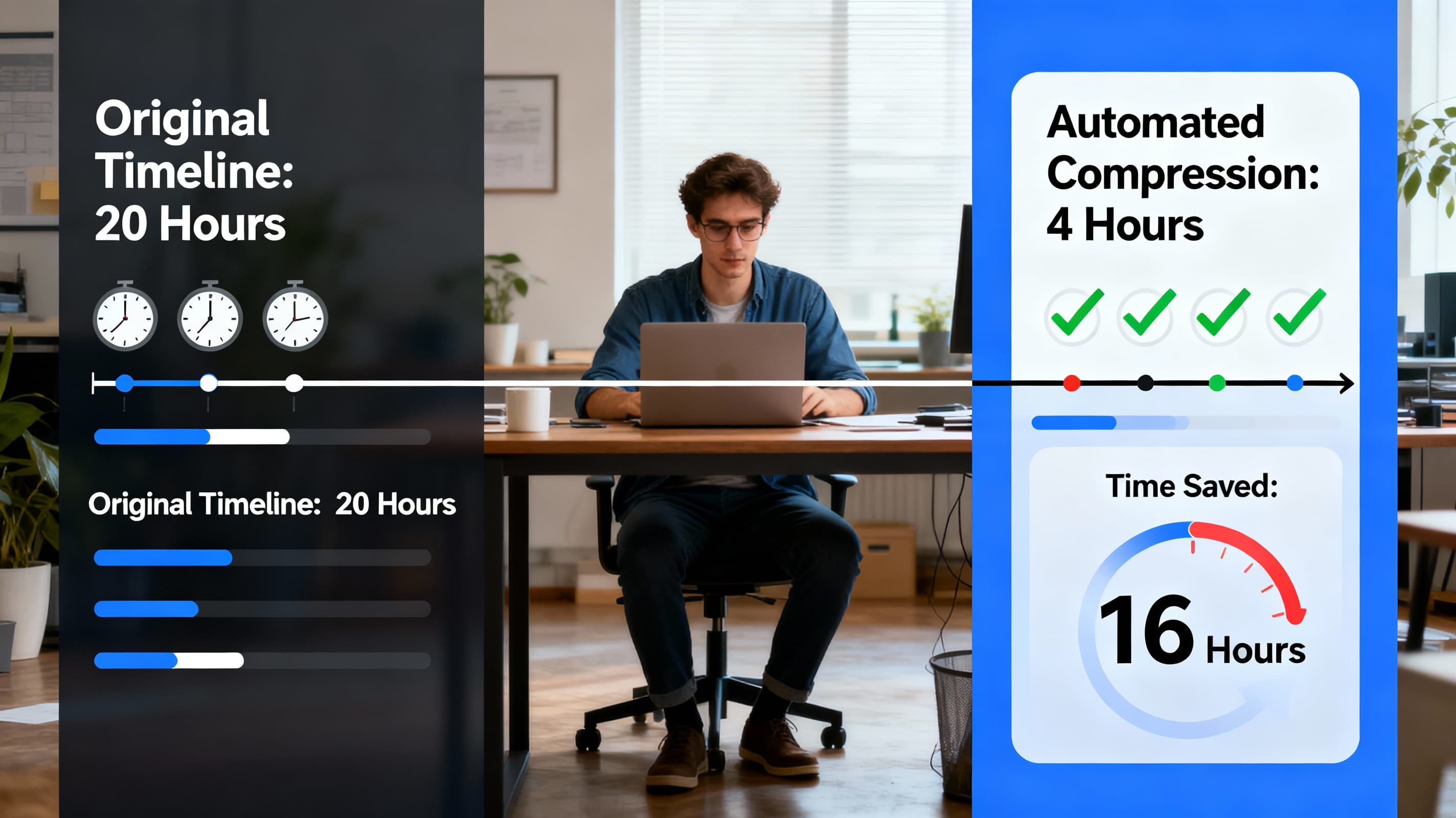
Picture this: You just wrapped up a two-hour podcast recording. It's sitting there on your computer, waiting to be chopped into short clips for TikTok, Instagram, and YouTube. Your mind starts doing the math. Finding the good parts? Probably an hour. Cutting each clip? Another few hours. Adding captions, resizing for different platforms, scheduling posts... suddenly your whole week is gone.
Sound familiar? Here's the thing—it doesn't have to be this way anymore.
Why Content Teams Are Drowning in Video Work
Let's get real for a second. Making videos used to be simple. You'd shoot something, maybe trim off the awkward bits at the beginning and end, and call it done. But now? Now your audience expects short clips on TikTok, longer breakdowns on YouTube, polished snippets on LinkedIn, and Stories that disappear in 24 hours. Same content, five different formats, each with its own quirks.
The numbers tell the story: editing just one minute of finished video typically takes anywhere from 30 minutes to two hours of work. That means a 10-minute YouTube video can easily swallow up 12 to 20 hours of someone's week. For teams trying to pump out consistent content across multiple platforms, this math simply doesn't work.
The Time Math
Editing just one minute of finished video typically takes anywhere from 30 minutes to two hours of work. A 10-minute YouTube video can easily swallow up 12 to 20 hours of someone's week.
Content creators on Reddit share similar experiences. One user put it plainly: "I typically estimate an hour of editing for 1 minute of video". Another mentioned that "a 5 minute video usually takes about 20-25 hours of editing". When you're also researching, scripting, filming, and promoting—well, something's got to give.
The Bottlenecks Killing Your Team's Productivity
Before we talk solutions, let's name the villains. These are the time-vampires sucking your team dry:
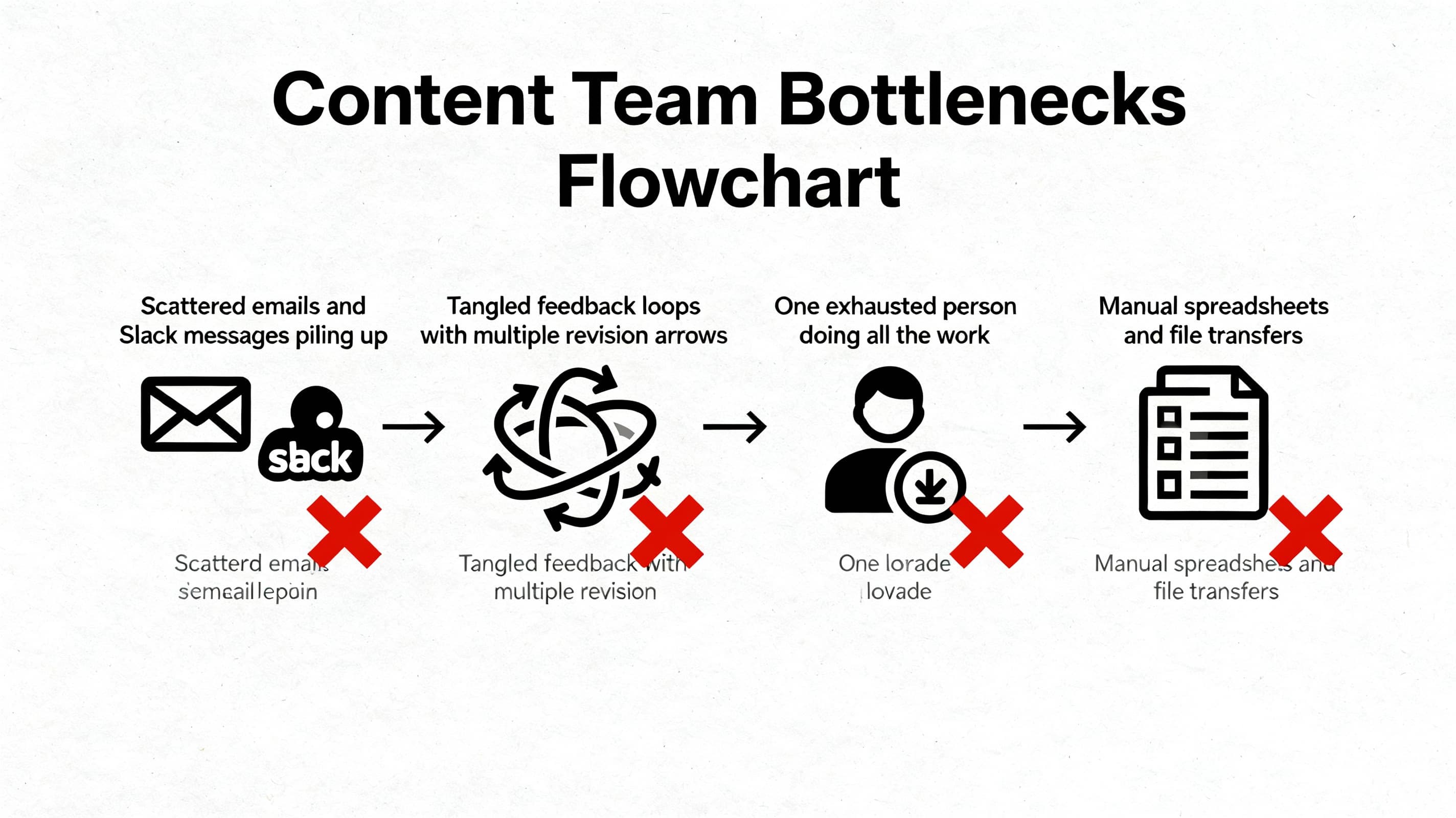
Project details come through scattered emails, Slack messages, and quick phone calls. Your editor ends up playing detective instead of actually editing.
One person says the music needs more energy. Someone else wants it quieter. A third reviewer drops a different opinion three days later.
Using spreadsheets to track deadlines and emailing files back and forth. What starts as "flexible" quickly becomes a tangled mess.
Your most capable team member becomes the go-to for everything video-related. They're overworked while others wait around.
What Automation Actually Looks Like (Not Robots Taking Over)
Here's where people get confused. Video workflow automation isn't about replacing humans with algorithms. It's about getting the tedious stuff out of the way so your team can focus on what actually matters—being creative.
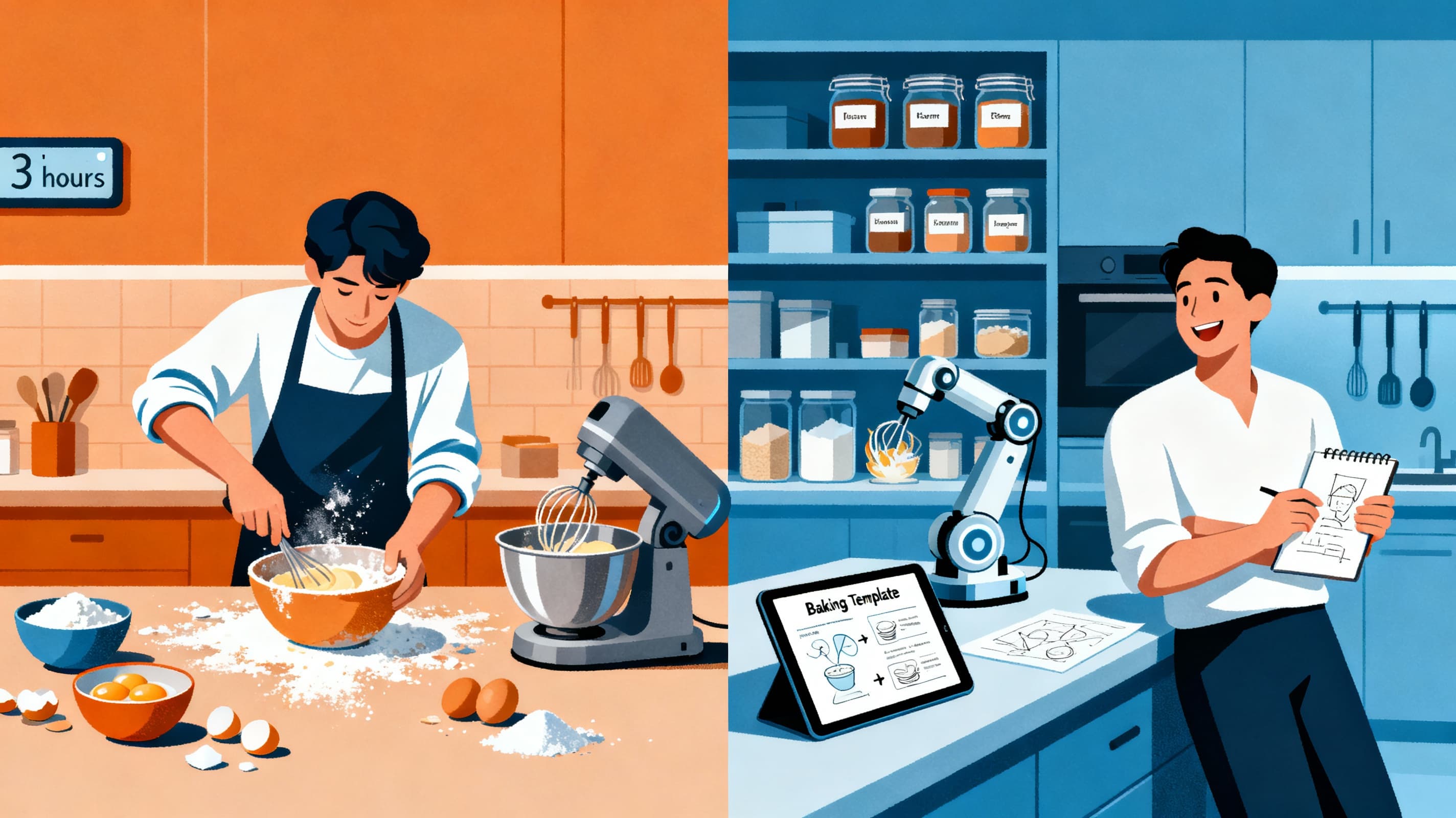
Think of it like this: imagine you had to bake a birthday cake from scratch every single day. Going to multiple stores for ingredients, mixing everything by hand, decorating each one individually. Exhausting, right? Automation is like having a well-stocked pantry, a stand mixer, and some go-to decoration templates. You're still the baker. You still decide how it looks and tastes. But you're not wasting energy on the repetitive parts.
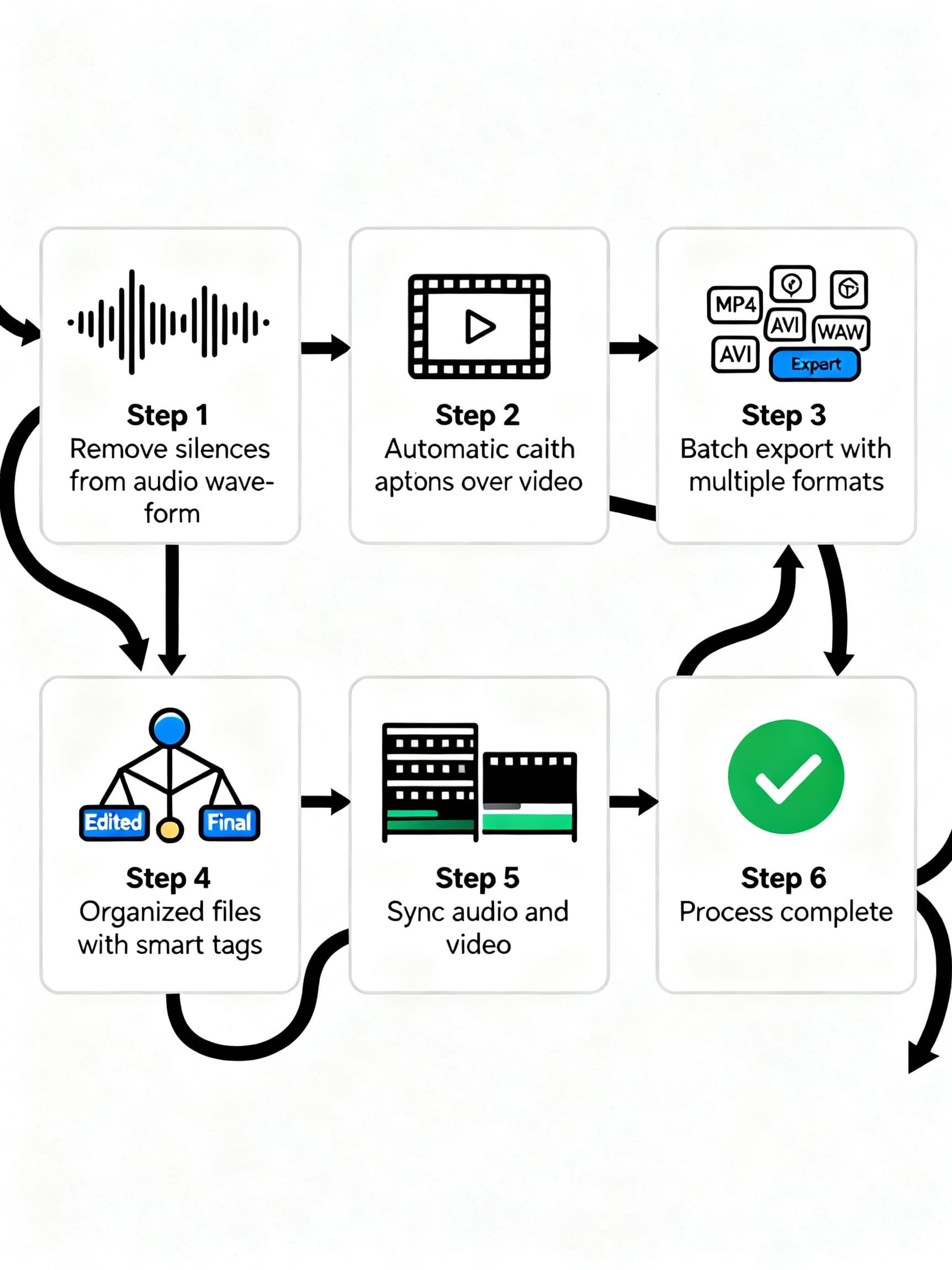
Automation Tasks That Save Hours:
- Removing silences and bad takes from hour-long recordings in seconds
- Auto-generating captions instead of typing them word by word
- Batch exporting for different platforms with correct dimensions
- Organizing footage with smart tagging and searchable transcripts
- Syncing audio to video without manual alignment
Real User Results
"I typically record for about 1 hour and I'm always having issues with speaking perfectly throughout the whole video. Using AutoCut has made my editing come from 6 hours to about 30 minutes." — That's getting a full workday back every single recording.
Step-by-Step: Building Your Optimized Workflow
Before: The Old Way
Let's map out what a typical week looked like before automation, using a podcast-to-social-content workflow as an example:
| Task | Time Spent | Pain Points |
|---|---|---|
| Recording podcast | 1-2 hours | Just the start |
| Scrubbing through footage | 2-3 hours | Tedious, easy to miss good moments |
| Selecting 10 clip-worthy moments | 1-2 hours | Subjective, second-guessing choices |
| Editing each clip manually | 5-10 hours | Repetitive cuts, captions, zooms |
| Resizing for each platform | 2-3 hours | Different specs for TikTok vs YouTube |
| Writing descriptions and scheduling | 1-2 hours | Copy-paste marathon |
| Total | 12-22 hours | Burned out team |
After: The Automated Approach
Same podcast, different workflow:
| Task | Time Spent | What Changed |
|---|---|---|
| Recording podcast | 1-2 hours | Same as before |
| Upload to automation tool | 5 minutes | One click or RSS trigger |
| AI identifies best moments | 10-30 minutes | Reviews in background |
| Review AI suggestions, approve clips | 30-60 minutes | You pick winners |
| Auto-generate captions, resize | Automatic | Happens while you grab coffee |
| Review final clips, minor tweaks | 30-60 minutes | Quality control |
| Bulk schedule across platforms | 15-30 minutes | Connected to social accounts |
| Total | 3-5 hours | Team has breathing room |
The weekly savings? Somewhere between 10 and 17 hours—and that's being conservative. Some teams report even bigger gains once they get comfortable with their setup.
Editing Time Comparison: Before vs After Workflow Automation
| Video Length | Before Automation | After Automation | Time Saved |
|---|---|---|---|
| 1 minute | 2 hours | 0.4 hours | 1.6 hours |
| 5 minutes | 6 hours | 1.2 hours | 4.8 hours |
| 10 minutes | 12 hours | 2.4 hours | 9.6 hours |
| 30 minutes | 30 hours | 6 hours | 24 hours |
Podcast-to-Shorts: The Specific Workflow That Changes Everything
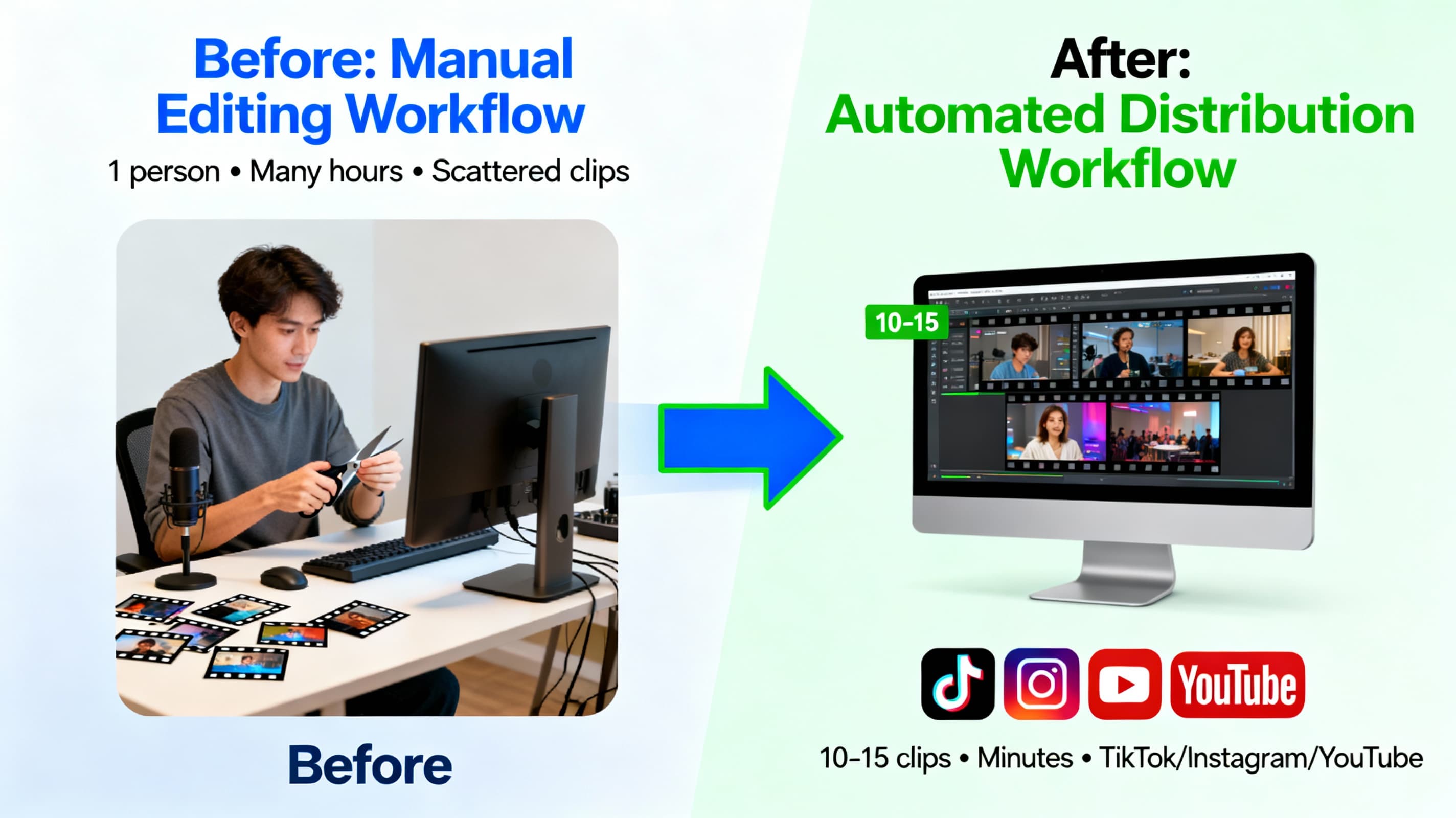
If there's one area where automation shines brightest, it's turning long-form podcasts and webinars into short clips for social media. This is where content teams have been leaving the most value on the table.
Lewis Howes, a podcaster with millions of followers, put it simply: "It used to take days to create clips. Now it takes us minutes". That's not marketing speak—that's the reality when you let AI handle the grunt work.
Here's how the automated podcast-to-shorts workflow actually functions:
Step 1: Feed It Your Content. Upload your podcast video, paste a YouTube link, or connect your RSS feed for automatic processing. Some tools can pull new episodes as soon as they're published.
Step 2: AI Does the Heavy Lifting. The system scans your entire recording looking for moments that would make good clips—interesting statements, emotional reactions, quotable insights. It's not perfect, but it catches 80-90% of what a human would pick.
Step 3: Review and Approve. You get a list of suggested clips with timestamps. Watch them, throw out the weak ones, approve the keepers. This is where your judgment matters—the AI finds candidates, but you decide what fits your brand.
Step 4: Automatic Enhancement. Once approved, the tool adds animated captions (you know, the kind that highlight words as they're spoken), frames speakers properly for vertical video, and exports in formats ready for TikTok, Instagram Reels, and YouTube Shorts.
Step 5: Schedule and Publish. Connect your social accounts and set publish times. Some platforms even analyze when your audience is most active and recommend posting windows.
The result? A single 60-minute webinar or podcast can become 10-15 targeted short videos without anyone on your team spending their entire week cutting clips. One tech startup using this approach generated over 10,000 views on LinkedIn and consistent monthly traffic growth—all from content they would have posted once and forgotten.
Deep Dive
Want a complete framework for turning your podcast into viral shorts? We've created an in-depth guide covering manual vs AI extraction, platform strategies, and a 30-day action plan.
Podcast to Shorts: The Complete Repurposing Framework for GrowthRelated Reading
Once you've generated your short clips, optimizing them for each platform is crucial. Different algorithms reward different approaches.
Multi-Platform Video Distribution Strategy: Optimizing for YouTube, TikTok, Instagram, and LinkedInTeam Collaboration Features That Actually Help
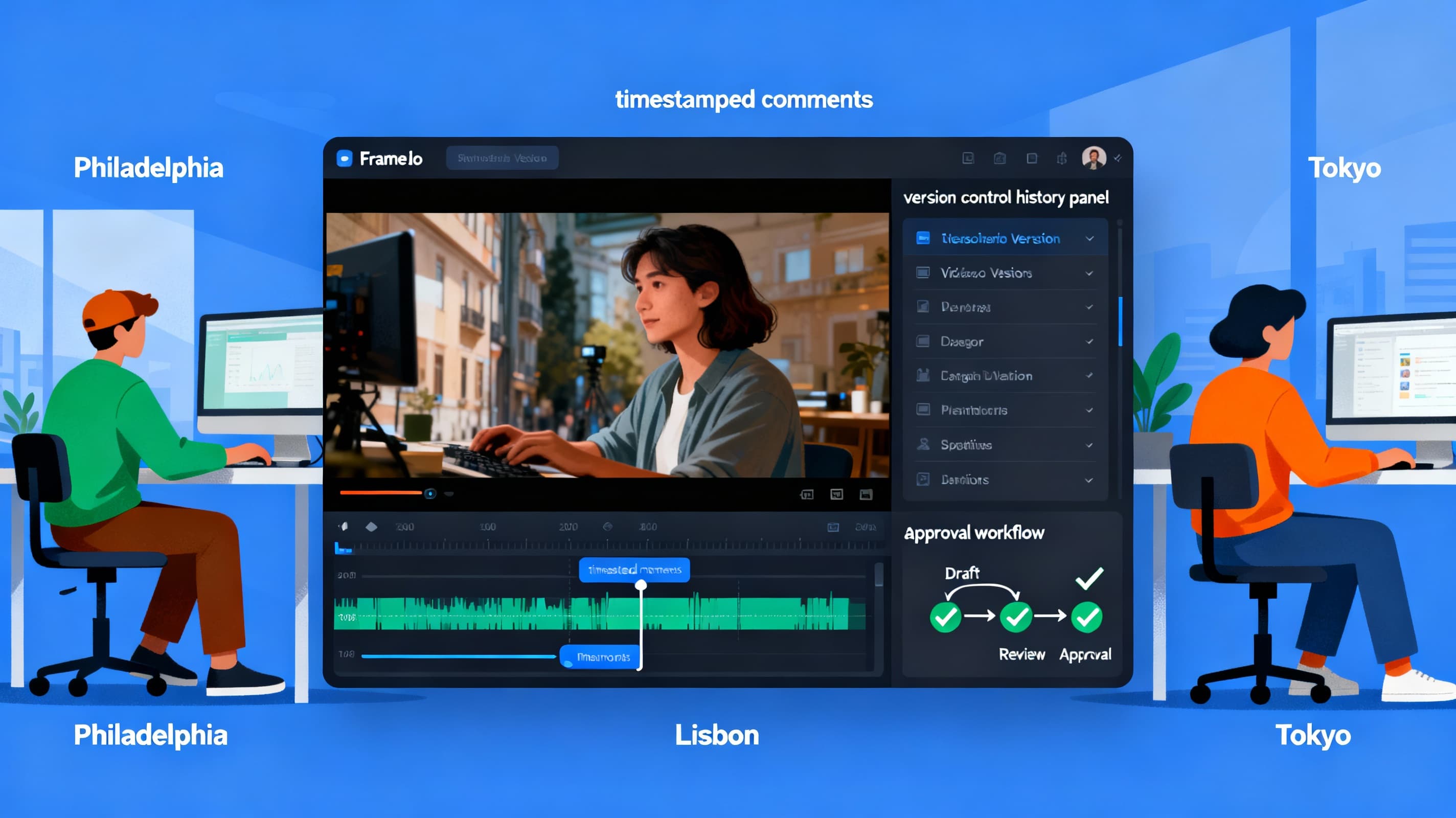
Solo creators can handle a lot on their own. But for content teams—where multiple people touch the same project—collaboration tools make or break your workflow.
Real-Time Editing Together is now possible with cloud-based platforms like Frame.io (owned by Adobe) and Blackmagic Cloud for DaVinci Resolve. Picture this: your editor in Philadelphia is trimming clips while your audio engineer in Lisbon fine-tunes the soundtrack. No more waiting for files to upload and download. No more "which version is the latest?" confusion.
Timestamped Feedback changes how reviews happen. Instead of vague notes like "the part where he talks about pricing seems off," stakeholders can click on the exact moment in the video and leave specific comments. The editor sees precisely what needs fixing without playing guessing games.
Version Control tracks every change, every save, every export. When the CEO asks to see "that version we had last Tuesday," you can actually find it.
Approval Workflows establish who needs to sign off before publishing. Marketing reviews first, then legal, then the final green light from leadership. Everyone knows their role, and nothing slips through the cracks.
For teams spread across time zones, these features aren't nice-to-haves—they're how you stay sane. One production company cut their feedback cycles by 60% simply by switching from email-based reviews to a dedicated collaboration platform.
API Integration: Connecting Your Entire Stack
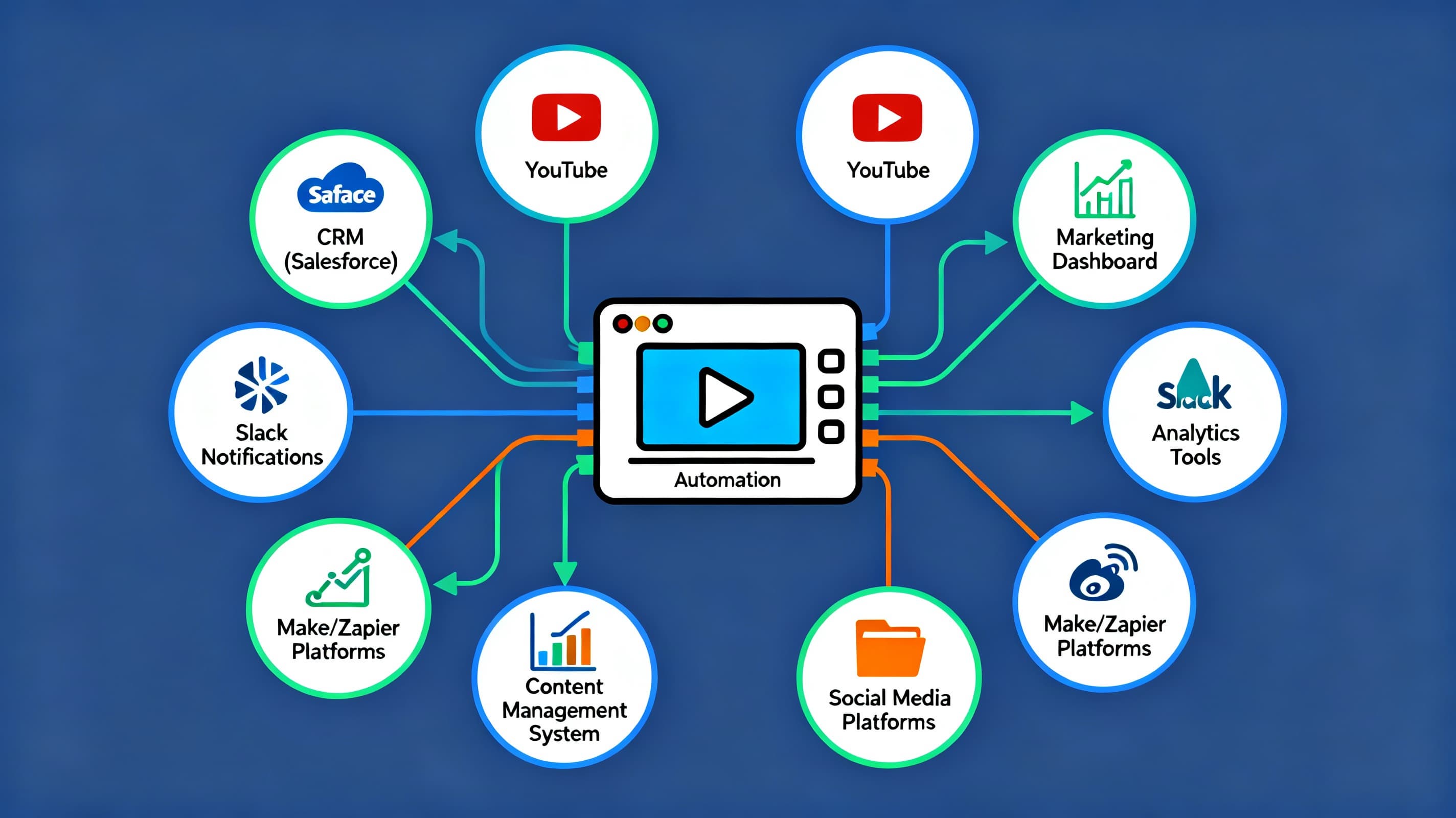
Here's where things get powerful for teams with technical chops. Modern video automation tools don't exist in isolation—they can talk to everything else in your tech stack.
What APIs Actually Enable:
- Your CRM (Salesforce, HubSpot) can trigger personalized video creation when a lead enters a specific stage
- New YouTube uploads automatically start the clipping process without anyone clicking a button
- Finished videos get pushed to your content management system with metadata already filled in
- Analytics from your video host feed back into your marketing dashboard
One practical example: using platforms like Make or Zapier, you can build workflows where a new podcast episode in your RSS feed triggers an n8n automation. That automation pulls the transcript from YouTube, identifies key moments using AI, generates clip suggestions, and sends a Slack notification to your team—all before anyone even opens their laptop that morning.
For teams not ready to dive into code, no-code automation platforms have made this accessible. You're essentially drawing lines between apps: "When this happens in Tool A, do this in Tool B." The video API handles the heavy processing, and you design the logic.
Companies like Creatomate and api.video offer specific APIs for video generation and processing that integrate with thousands of other business tools through Zapier alone. The initial setup takes some effort, but once running, these automations work around the clock.
Real Results: What Teams Are Actually Seeing
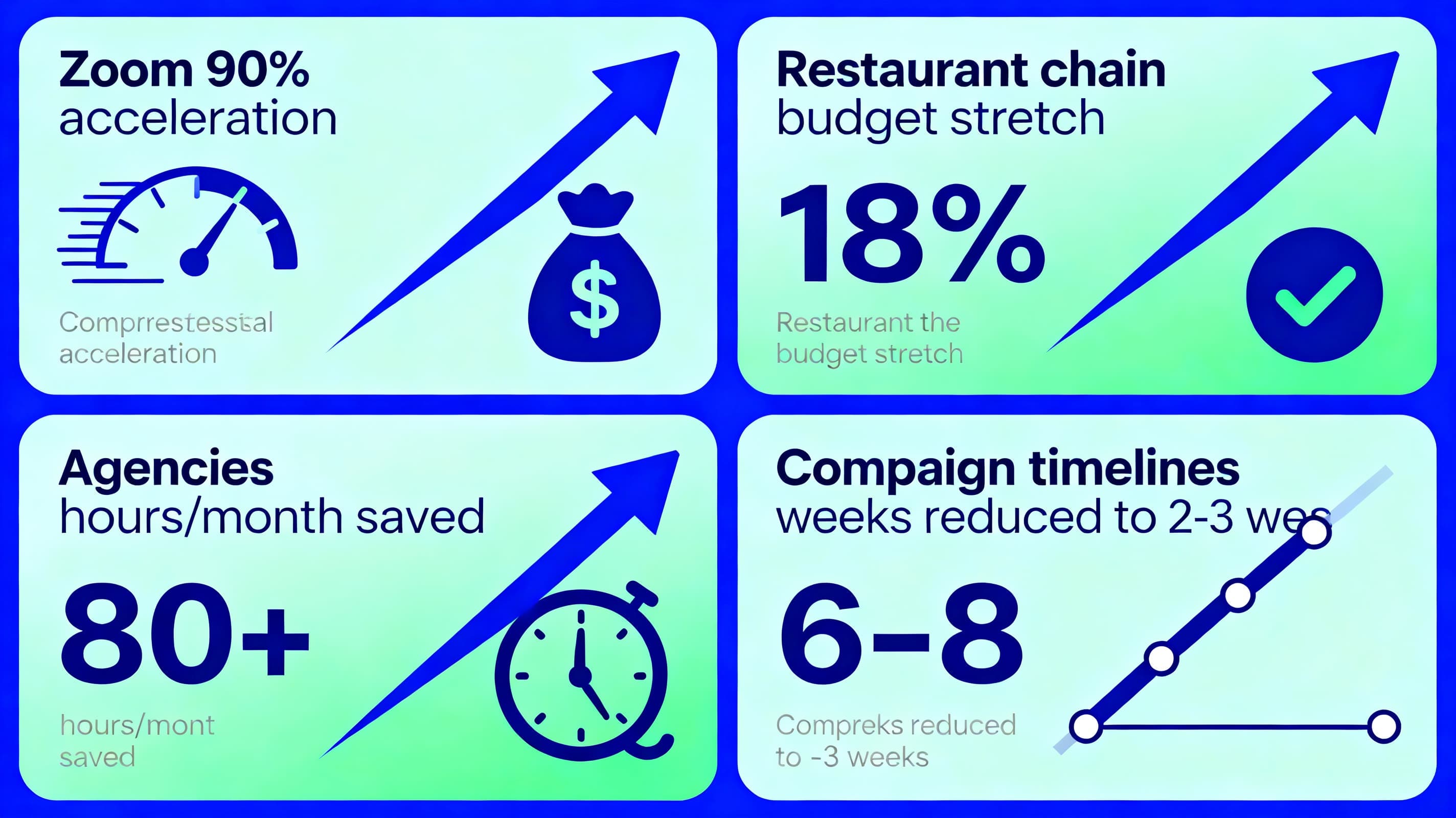
Let's ground this in actual outcomes, not just promises.
Zoom accelerated their training video production by 90%. For a company training over 1,000 salespeople, this wasn't just convenient—it was transformational. What used to take their team weeks now happens in days.
A multinational restaurant chain used AI-driven video automation across their entire production workflow and stretched their media budget by 18%. They automated scriptwriting using brand guidelines, generated multilingual voiceovers, and streamlined editing for multiple distribution channels.
Marketing agencies using automation report saving 80+ hours per month. That's essentially two full work weeks of time redirected from tedious editing toward strategy, client relationships, and creative development.
Campaign timelines have compressed dramatically. One case study showed AI-powered workflows reducing campaign development from 6-8 weeks down to 2-3 weeks, with 60% fewer revision cycles.
Individual creators are seeing similar gains. A Reddit user shared: "I've managed to streamline my video production process significantly, reducing the time from 20-40 hours down to approximately 4-10 hours per video". Another achieved a 70% reduction in editing time while also improving brand consistency and increasing viewer engagement by 13%.
Getting Started Without Overwhelming Your Team
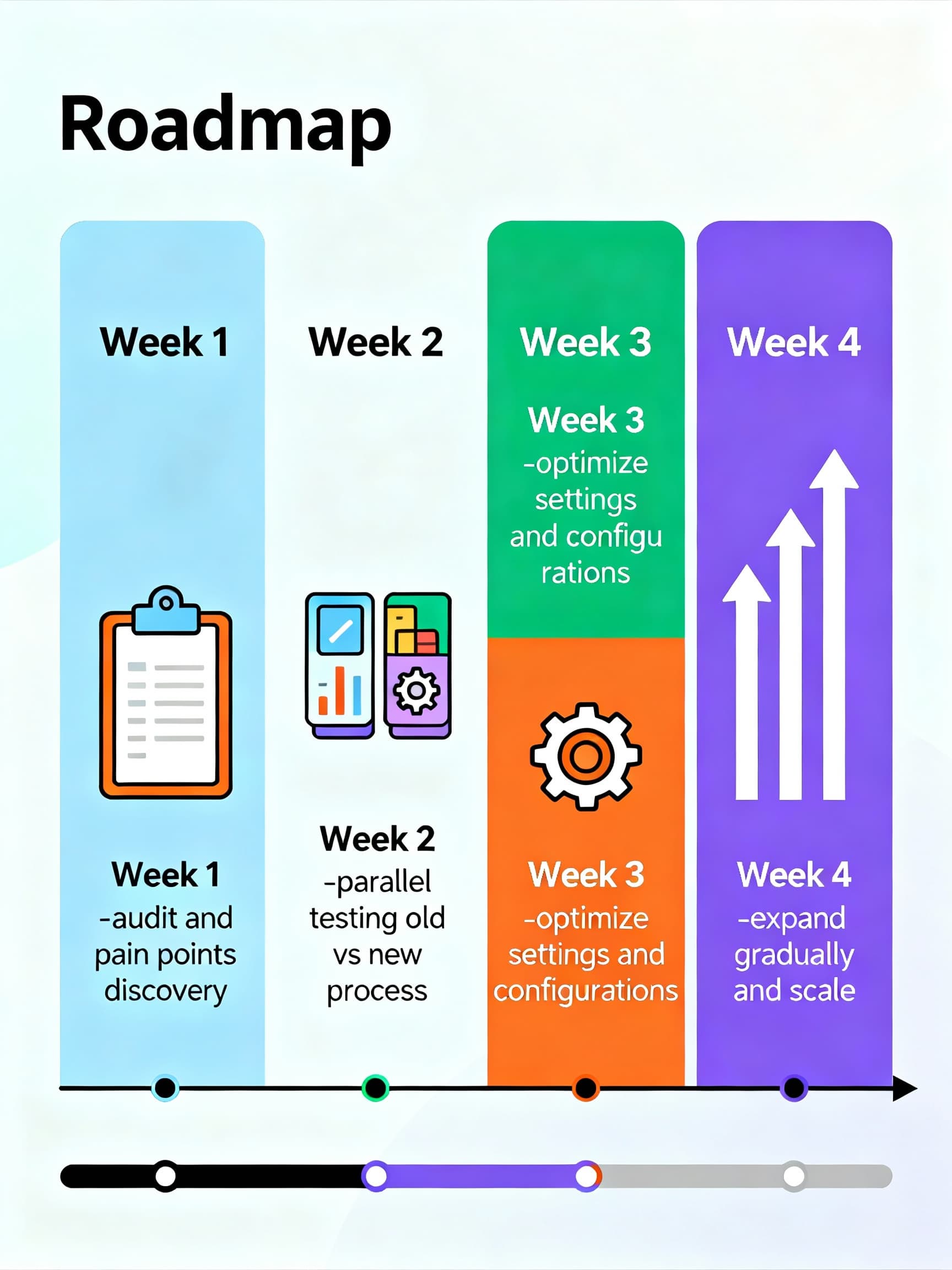
The biggest mistake teams make with automation? Trying to change everything at once. You end up with half-implemented tools, confused team members, and results that are somehow worse than before.
Here's a smarter approach:
Week 1: Audit and Choose. Look at where your team spends the most time on repetitive tasks. Is it captioning? Clip selection? Exporting for different platforms? Pick your biggest pain point and find one tool that addresses it specifically. Sign up for free trials of 2-3 options.
Week 2: Run Parallel Tests. Don't abandon your existing workflow yet. Run the same project through both your old process and the new tool side by side. Measure the actual time difference. Note what works and what feels clunky.
Week 3: Optimize Settings. Every automation tool has preferences and configurations. Spend time dialing these in based on your initial results. Adjust caption styles, clip length defaults, export settings. This is when the tool starts feeling like yours rather than something generic.
Week 4: Expand Gradually. Once you've got one workflow running smoothly, look at adding the next piece. Maybe you started with auto-captions; now add silence removal. Then multi-platform exports. Each addition builds on what's already working.
Document everything as you go. What works, what doesn't, what your team wishes were different. This documentation becomes your playbook for onboarding new team members and troubleshooting when something breaks.
Getting Started with Video Content
If you're just starting out with video content creation and need to get videos from YouTube for repurposing, we've got a beginner-friendly guide.
How to Download YouTube Videos - Complete Beginner's GuideThe 10+ Hours: Where They Actually Come From
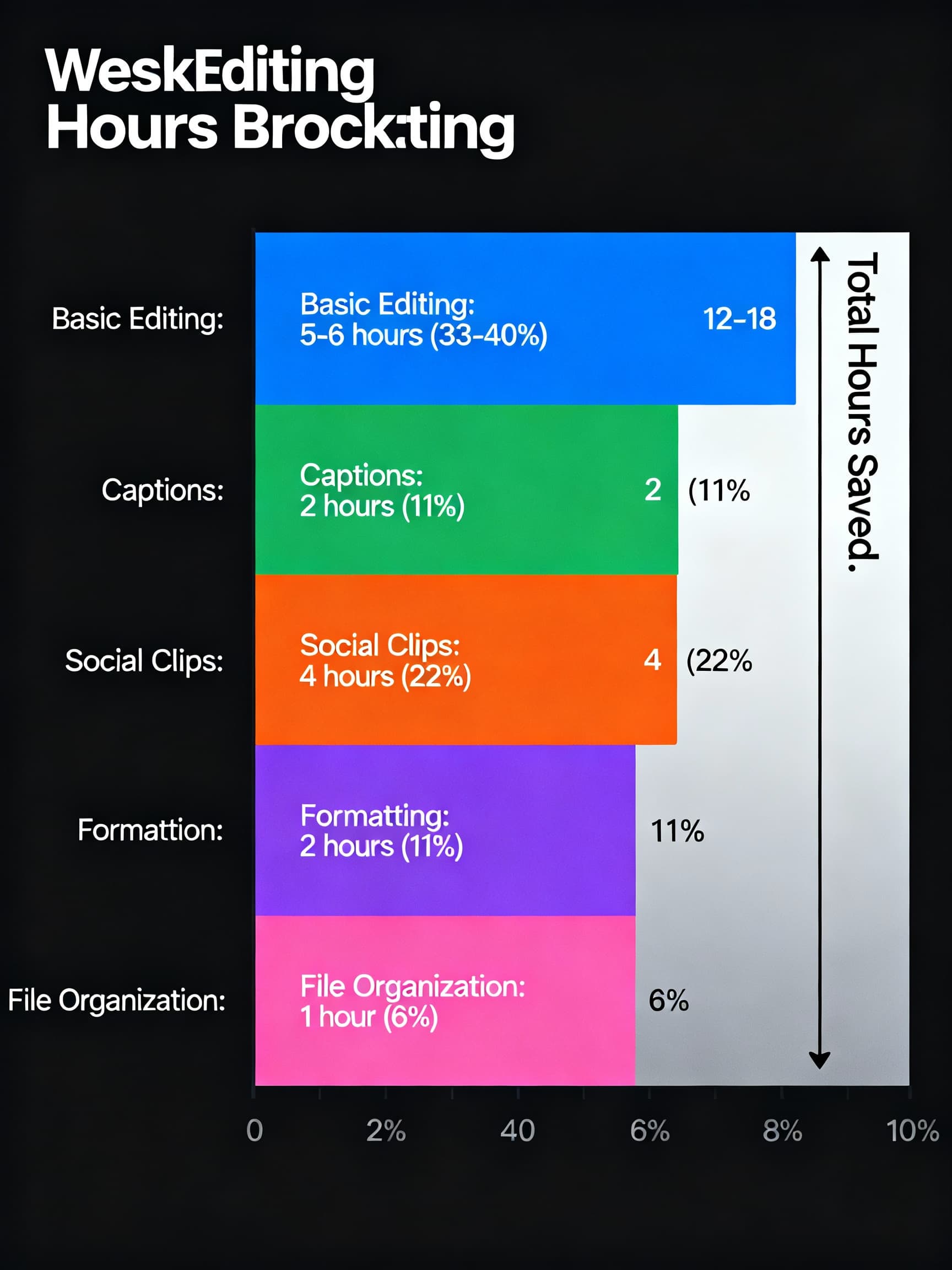
Let's do the math on a typical week for a content team producing two 10-minute videos and repurposing them across platforms:
| Task | Manual Hours | Automated Hours | Savings |
|---|---|---|---|
| Basic editing (cuts, pacing) | 6-8 | 1-2 | 5-6 hours |
| Caption generation | 2-3 | 0.25 | ~2 hours |
| Creating social clips | 4-6 | 0.5-1 | ~4 hours |
| Multi-platform formatting | 2-3 | 0.25 | ~2 hours |
| File organization and tagging | 1-2 | 0 (automatic) | ~1 hour |
| Weekly Total | 15-22 hours | 2-4 hours | 12-18 hours |
The 10+ hours of weekly savings isn't aspirational—it's actually conservative based on what teams report once they've fully adopted automated workflows.
Common Objections (And Honest Answers)
"Won't the quality suffer?"
Not if you stay involved. Automation handles the mechanical parts—silence removal, formatting, basic cuts. The creative decisions—what moments to highlight, what tone to set, how to frame your message—those still need human judgment. Think of it as having a very efficient assistant who preps everything so you can make the final calls.
"Our content is too unique for templates."
Most platforms let you create custom templates that match your brand. Once you've built these, automation actually improves consistency because it follows your guidelines every single time, unlike a tired editor at 11 PM making judgment calls.
"We tried automation before and it didn't work."
Fair enough. The tools have improved dramatically in the past 2-3 years. What felt clunky in 2022 is often seamless now. Worth revisiting with fresh eyes and more realistic expectations.
"My team will resist changing how they work."
Start with the team member who's most overwhelmed. When they suddenly have their afternoons back, the rest of the team will get curious. Success stories within your own team are more persuasive than any sales pitch.
Wrapping Up: The New Reality for Content Teams
The landscape has shifted. Teams that stubbornly stick to manual workflows are falling behind—not because they lack talent, but because they're spending their talent on tasks that machines handle better.
Meanwhile, teams that embrace automation are doing something interesting: they're not just producing more content, they're producing better content. When you're not exhausted from 22-hour weeks, you have energy for creative thinking. When clips are auto-generated, you have time to actually watch them and pick the best ones instead of settling for "good enough."
The goal was never to work fewer hours (though that's nice). The goal was always to make great content that connects with your audience. Automation just removes the obstacles between you and that goal.
Your podcast deserves to reach more people than just those who listen to the full episode. Your tutorials deserve to be clipped and shared where your audience actually hangs out. Your team deserves to go home at a reasonable hour without feeling like they're falling behind.
Ten hours back every week isn't a fantasy. It's what happens when you stop doing manually what machines can handle automatically—and start spending that recovered time on work that actually requires a human touch.
Ready to Automate Your Video Workflow?
Our AI Video Clipper turns your long-form videos into viral short clips automatically. Upload once, get clips optimized for every platform—complete with captions and perfect framing.
Try the AI Video ClipperÜber den Autor

Nicolai Gaina
Software-Ingenieur mit über 12 Jahren Berufserfahrung in der San Francisco Bay Area. Spezialisiert auf Softwareentwicklung, Content-Erstellung und Social-Media-Wachstum, mit Fokus auf datengetriebenes Wachstum, KI und wirkungsvolle Online-Tools für Content Creator.
Folgen auf: LinkedIn