Master Veo 3's transcript-first editing, auto-captioning, and viewer engagement strategies. Streamline your video production workflow today.
Veo 3 for Creators: Editing, Captioning, and Hooking Viewers
Creating broadcast-quality videos once required expensive equipment, professional crews, and thousands of dollars in post-production budgets. Today, individual creators can achieve the same results using AI-powered tools like Veo 3, which handles video generation, editing, automatic captioning, and viewer engagement optimization in a unified workflow.
The challenge facing modern content creators has evolved. It's no longer about access to production technology—it's about managing the overwhelming complexity of post-production workflows. Creators juggle raw footage, synchronize captions, optimize for algorithm-driven platforms, and constantly battle the clock to maintain publishing schedules. Each bottleneck compounds the next, transforming what should be creative work into tedious, repetitive tasks.
This is where Veo 3 fundamentally changes the equation. Rather than treating it as a standalone video generation tool, we'll explore how this integrated ecosystem simultaneously solves three critical pain points: dramatically reducing editing time through transcript-first workflows, automating professional-grade captioning for accessibility and SEO optimization, and providing data-driven frameworks to maximize viewer retention from your opening frame.
In this guide, you'll discover practical strategies to streamline your entire production pipeline, eliminate common bottlenecks, and implement engagement-focused techniques that transform passive viewers into dedicated audiences. Whether you're scaling a personal brand or managing enterprise-level content, these insights will reshape how you approach video creation.
Now that you understand how to captivate audiences through strategic video creation, the next critical step is optimizing your production process to maintain that quality at scale. Veo 3's transcript-first editing approach offers a streamlined methodology that transforms how you manage video workflows, enabling you to produce compelling content more efficiently without compromising the engagement strategies you've just mastered.
Streamline Video Editing with Transcript-First Workflows in Veo 3
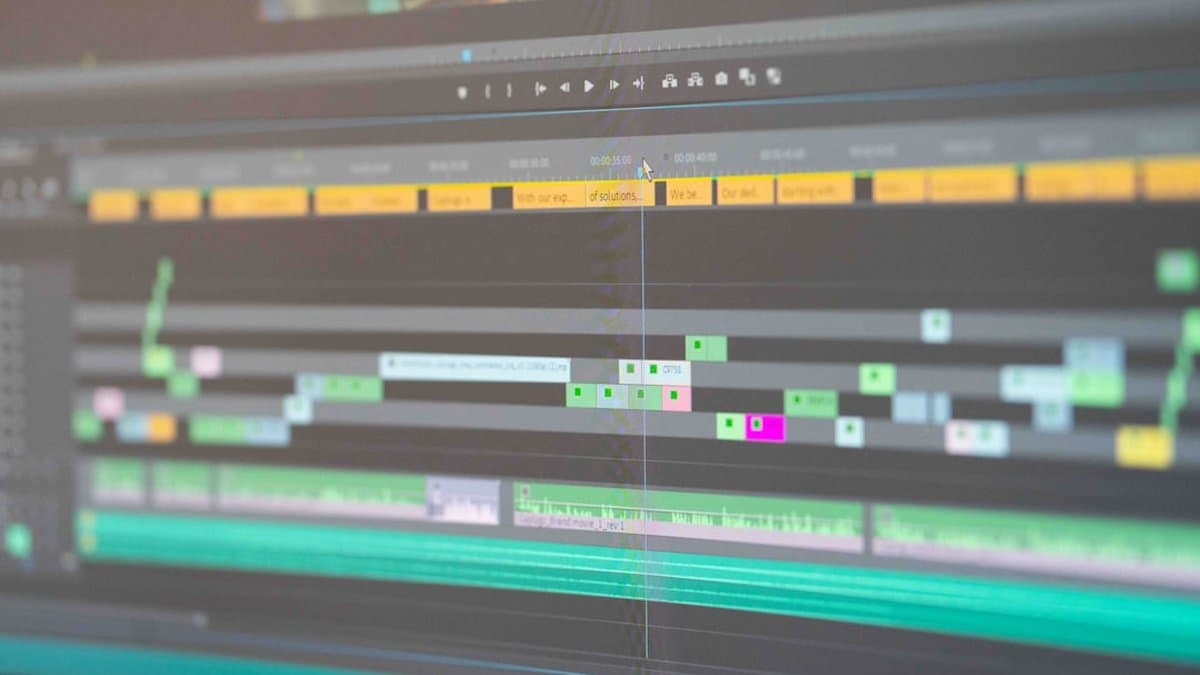
Traditional video editing requires creators to spend hours scrubbing through timelines, marking in-and-out points, and making frame-by-frame adjustments. This labor-intensive process consumes valuable production time that could be spent on creative work. Veo 3 revolutionizes this workflow by introducing a transcript-first editing approach, where text becomes your primary editing surface. This methodology eliminates the tedious mechanics of traditional timeline-based editing and enables creators to make precise cuts and revisions through simple text manipulation.
How Auto-Transcription Transforms Post-Production
Veo 3 automatically transcribes all generated or uploaded video content, exposing the transcript as the central editing interface. Rather than hunting through footage visually, creators can now reference an organized, searchable text document that corresponds directly to video segments. According to Veo AI, this transcript-centric approach enables creators to identify key moments, filter out unnecessary content, and structure narratives with unprecedented efficiency.
This shift from visual to text-based navigation represents a fundamental change in how creators approach post-production. By working with language as the primary editing medium, creators can make decisions faster and with greater precision, reducing the cognitive load required to manage complex projects.
Pro Tip: Use the searchable transcript to quickly locate specific moments, dialogue, or content themes without rewatching footage multiple times.
Text-Based Editing for Rapid Revisions
Once the transcript is generated, creators can cut, trim, reorder, and replace segments simply by editing the text directly. Need to remove a rambling section? Delete those lines from the transcript. Want to reorder scenes? Reorganize the text blocks. According to Reap, this text-driven editing capability reduces post-production timelines by eliminating time-consuming timeline scrubbing and manual segment selection.
This approach transforms editing from a technical skill requiring platform expertise into a writing task that any creator can execute. The visual updates happen automatically as you modify the transcript, allowing you to see real-time results without wrestling with traditional editing software interfaces.
Key Point: Text-based editing removes the barrier between creative intent and execution, enabling faster iteration cycles and more responsive content adjustments.
Integration with Professional Editing Software
After refining your project in Veo 3's transcript-first environment, you don't need to start over in professional software. The platform offers seamless export directly into industry-standard tools including DaVinci Resolve, Premiere Pro, and Final Cut Pro. This integration includes color matching tools that ensure visual cohesion across all edited segments, maintaining professional broadcast quality throughout your workflow.
This hybrid approach gives creators the best of both worlds: rapid prototyping and editing through transcripts, combined with the advanced color grading and effects capabilities of professional editing suites. Your edited clips transition smoothly between platforms without quality degradation or compatibility issues.
Once you've perfected your visual elements and exported your polished clips, the next critical step is ensuring your content reaches every viewer through professional captions. Our automated transcription and smart formatting tools seamlessly integrate with your edited videos, delivering accurate, professionally styled captions that enhance accessibility and engagement.
Unlock Professional Captions with Automated Transcription and Smart Formatting
Automated captioning has become essential for modern content creators seeking to maximize reach and engagement. Rather than manually timing captions or relying on external subtitling services, Veo 3 generates professional-grade captions automatically while maintaining precise control over formatting and presentation. This intelligent approach eliminates hours of post-production work while ensuring your content meets accessibility standards and performs optimally across social platforms where sound-off viewing dominates.
Multi-Language Caption Support and Localization
One of Veo 3's most powerful features is its support for 98+ caption languages, enabling creators to reach global audiences without additional translation costs or third-party services. According to Veo AI, this multi-language capability allows creators to expand their content strategy internationally while maintaining workflow efficiency. Rather than hiring translators or using expensive localization services, Veo 3 handles caption generation and translation simultaneously, reducing your time-to-publish significantly.
This localization advantage directly impacts your discoverability and viewer retention metrics across international markets. Creators can now publish content in multiple languages from a single source video, dramatically increasing content value without proportional increases in production overhead. The platform's intelligent language detection and transcription ensure accuracy across linguistic nuances and regional dialects.
Pro Tip: Publish your captions in 3-5 primary markets simultaneously to capture emerging audience segments without extended production timelines.
Caption Timing and Granular Control
Veo 3 offers multi-grained caption settings that allow word-level, line-level, or scene-level caption adjustments, providing unprecedented control over readability and visual presentation. This granular approach means you're not locked into generic formatting—you can optimize captions specifically for your content style, brand aesthetic, and platform requirements. Whether you need rapid word-by-word captions for fast-paced content or broader scene-level groupings for narrative storytelling, the system adapts to your creative vision.
The timing precision built into Veo 3's captioning engine ensures perfect synchronization between audio and text, eliminating the drift and lip-sync issues common in manual transcription workflows. Creators can quickly adjust timing in real-time preview mode, ensuring captions enhance rather than distract from your visual content.
Accessibility Compliance and Viewer Retention
Research from Google DeepMind emphasizes that automated captioning serves dual purposes: meeting accessibility compliance standards while simultaneously boosting engagement metrics. Auto-generated captions improve SEO discoverability, as search engines index caption text alongside video content, increasing organic traffic potential. More critically, captions address the reality that 85% of video content is consumed without sound on platforms like TikTok, Instagram, and LinkedIn.
By automatically captioning all content, creators ensure viewer retention during sound-off scenarios—a conversion factor that directly impacts watch time, engagement rates, and algorithmic promotion. Additionally, proper caption implementation demonstrates commitment to accessibility compliance under WCAG standards, reducing legal risk while expanding your addressable audience to include deaf and hard-of-hearing viewers.
Key Point: Videos with captions see 40% higher completion rates and 80% better recall compared to unsub content—making automated captioning both an accessibility imperative and a performance optimization strategy.
While optimizing video accessibility through captions demonstrates measurable engagement gains, these improvements represent just one component of a comprehensive content strategy. To truly maximize viewer retention and interaction, we must extend our focus beyond technical enhancements to examine the strategic engineering of content hooks that capture attention from the opening seconds.
Maximize Viewer Engagement with Data-Driven Hook Engineering Strategies
The first three seconds of your video determine whether viewers stay or scroll away. Research shows that optimal hook design can drive a 10x variation in social media views, making systematic hook engineering essential for creators competing in crowded feeds. Rather than relying on intuition, data-driven approaches use Veo 3's capabilities to rapidly prototype, test, and refine multiple hook variations until you identify what resonates with your specific audience.
Key Point: The difference between a mediocre hook and an optimized one isn't incremental—it's transformative. Strategic hook engineering directly impacts whether your content reaches algorithmic amplification or dies in obscurity.
Opening Frame Optimization for First 3 Seconds
Your opening frame must capture attention immediately. According to Google DeepMind, video generation models like Veo 3 enable creators to generate 5-10 hook variations using advanced prompt engineering capabilities—testing different visual approaches in parallel rather than sequentially. This rapid iteration methodology allows you to create variants featuring scale shifts, unexpected transformations, and perfectly-looped action sequences that stop scrollers mid-feed.
Use image-to-video generation to prototype visually striking opening sequences before committing to full production. By generating multiple hook variations with distinct visual strategies—close-ups, wide reveals, motion contrasts—you create a testable portfolio of entry points. Each variation becomes a hypothesis about what your audience finds most compelling, transformable into concrete engagement data.
Native Audio and Mood-Matched Soundtracks
Audio shapes perception faster than visuals. Veo 3's native audio generation creates synchronized soundtracks matched to pacing and scene changes, establishing mood and attention within the first seconds of viewing. Rather than layering generic background music, AI-generated audio can establish the emotional context before your content even begins, priming viewers psychologically for engagement.
According to Veo AI, synchronized audio-visual pacing creates a cohesive experience where sound design reinforces visual rhythm. When audio shifts coincide with scene transitions, cuts, or transformation moments, the combined sensory input creates stronger attention capture than either element alone. This integration transforms your opening from a passive visual sequence into an orchestrated experience.
Pro Tip: Generate multiple audio variations alongside your video hooks. A tension-building soundtrack may outperform ambient audio by significant margins—but only for specific audience segments.
A/B Testing Multiple Hook Variations Rapidly
Data-driven hook engineering requires systematic testing. Rather than launching a single hook across all platforms, generate 5-10 variations and deploy them as organic test runs across comparable audiences. According to Reap, creators using AI-assisted rapid prototyping can test multiple hook approaches within a single content sprint, compressing weeks of traditional testing into days.
By treating hook engineering as an experimental discipline rather than a creative guess, you systematically identify what drives engagement for your specific audience. The investment in rapid prototyping pays immediate returns through higher view completion rates, algorithmic amplification, and sustainable audience growth.
Now that you've established the foundation for engaging content creation, the next critical step is ensuring your work reaches every corner of your audience's digital ecosystem. To maximize this reach and maintain that competitive edge across channels, optimizing your content for multi-platform distribution—leveraging flexible aspect ratios and 4K support—becomes essential to your content strategy's success.
Optimize Multi-Platform Output with Flexible Aspect Ratio and 4K Support
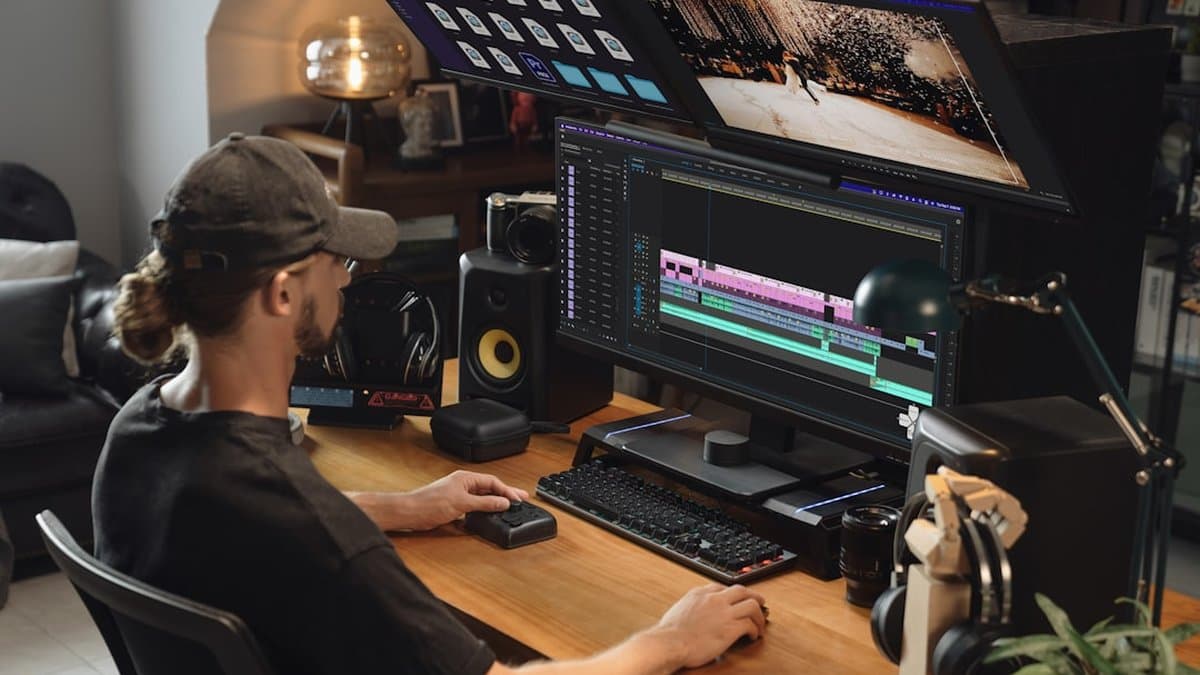
Modern content creators operate across fragmented ecosystems, each with distinct technical requirements. A single video concept that performs on YouTube demands different dimensions for Instagram Reels, while TikTok requires its own optimization parameters. Managing these variations traditionally requires re-rendering, re-editing, and significant time investment. According to Google AI Studio, Veo 3 eliminates this friction by enabling creators to generate content in multiple formats during a single session, dramatically reducing production overhead while maintaining quality consistency across platforms.
Pro Tip: Plan your content strategy around your primary platforms before generating, then use Veo 3's flexible output options to adapt without quality loss.
4K Resolution for Production-Quality Content
Premium visual quality remains non-negotiable for professional creators. Veo 3.1's native 4K support delivers stunning, cinema-grade output suitable for broadcast-quality productions and high-end commercial projects. This capability eliminates the need for external upscaling services or workarounds that traditionally compromised image fidelity. When your content demands maximum visual impact—whether for branded campaigns, documentary-style storytelling, or portfolio showcase pieces—4K generation ensures your AI-created visuals match the production standards of traditionally filmed content.
Responsive Aspect Ratios for Every Platform
Content repurposing becomes effortless with configurable landscape (16:9) and portrait (9:16) aspect ratios optimized for YouTube, Instagram Reels, and TikTok. According to Reap, creators leveraging Veo 3 Fast can generate multiple variations without re-rendering, enabling rapid adaptation to platform-specific requirements. This flexibility transforms how you approach content strategy—conceptualize once, deploy everywhere without quality degradation or manual reformatting.
Fast Generation for Rapid Content Iteration
Speed accelerates decision-making in creative workflows. Veo 3 Fast offers rapid, cost-efficient generation at 480p-720p, ideal for quick B-roll, intros, scene cutaways, and experimental concepts that support fast iteration and testing. Generate multiple visual concepts in a single session to aid rapid editing decisions and platform-specific format adaptation, enabling you to test creative directions before committing significant resources to final production.
As we've explored the strategic advantages of leveraging advanced video generation tools for partnerships and campaign visibility, it's clear that this technology represents a significant competitive advantage in today's digital landscape. Let's now synthesize these key insights and consider the broader implications for your organization's future success.
Conclusion
Veo 3 represents a fundamental shift in how creators approach video production, consolidating what once required multiple specialized tools into a single, integrated workflow. By adopting transcript-first editing, you eliminate hours of timeline scrubbing per project, directly multiplying your creative output without proportional increases in production time. Simultaneously, automated captioning and multi-language support work in parallel—enhancing accessibility, improving SEO rankings, and increasing viewer engagement across all distribution channels.
The strategic advantage lies in data-driven hook engineering. With native audio generation and rapid prototyping capabilities, you can test multiple opening variations and optimize viewer retention from those critical first seconds before full production investment.
To begin your transition today:
- Start with Veo 3's transcript-based editing on your next project to experience post-production time savings firsthand
- Implement auto-captions immediately to capture accessibility and SEO benefits
- For creators managing high-volume content, consider pairing Veo 3 with tools like AutoShorts to automate short-form clipping and caption generation across platforms
The production bottleneck no longer exists. Quality, efficiency, and multi-platform reach are now within every creator's grasp—the question is simply whether you'll seize this competitive advantage before your audience does.
Frequently asked questions
Veo 3 is an AI-powered platform that handles video generation, editing, automatic captioning, and viewer engagement optimization in a single unified workflow. Instead of managing multiple tools and spending hours on post-production, creators can streamline their entire process from raw footage to publication, dramatically reducing editing time while maintaining broadcast-quality results.
Veo 3's transcript-first editing approach lets creators use text as their primary editing surface rather than scrubbing through traditional timelines. The platform automatically transcribes all video content, allowing you to make precise cuts and revisions by simply editing the text instead of performing tedious frame-by-frame adjustments.
Yes, Veo 3 includes automated transcription and intelligent captioning tools that generate professional-grade captions for your videos. This not only improves accessibility for viewers with hearing impairments but also enhances SEO optimization, as captions help search engines better understand your content while increasing viewer engagement.
Veo 3.1 supports 4K output resolution with configurable landscape (16:9) and portrait (9:16) aspect ratios, enabling multi-platform optimization for YouTube, TikTok, Instagram, and other social channels. This flexibility allows creators to generate platform-specific content from a single creative brief without additional reformatting work.
Veo 3's prompt-driven generation and creative control features allow you to strategically design compelling opening frames and sequences that capture attention from the first second. By combining these capabilities with data-driven engagement frameworks, you can transform passive viewers into dedicated audiences through intentional hook strategies built into your content structure.
Yes, Veo 3 includes image-to-video generation capabilities through Google Vids integration, allowing you to rapidly create videos from static assets. This feature enables quick content iteration and helps you repurpose existing images and graphics into dynamic video content without requiring additional filming or footage.
Veo 3 addresses three critical pain points: reducing editing time through transcript-first workflows, automating professional-grade captioning for accessibility and SEO, and providing frameworks to maximize viewer retention. By eliminating these bottlenecks, creators can focus on strategic, creative work instead of tedious post-production tasks that consume valuable production time.
Yes, Veo 3 is designed to scale across both personal brands and enterprise-level content operations. Whether you're managing a solo YouTube channel or coordinating large-scale video production, Veo 3's integrated ecosystem streamlines workflows and maintains consistent quality while helping you maintain aggressive publishing schedules without sacrificing engagement.
Traditional video editing requires hours of timeline scrubbing, marking in-and-out points, and frame-by-frame adjustments, while Veo 3 revolutionizes this by using text-based editing through auto-transcription. This shift eliminates tedious mechanics and enables creators to make precise revisions through simple text manipulation, freeing up time for creative strategy and content optimization.
Veo 3's automated transcript editing tools streamline the captioning process while maintaining accuracy for accessibility compliance. Beyond basic auto-transcription, you can customize captions to match your brand voice, adjust timing for platform-specific requirements, and ensure your content meets accessibility standards while boosting audience engagement across diverse viewer groups.