01 / Input
Burn captions into your video, word by word.
Upload a video or paste a YouTube link. AutoShorts transcribes it with word-level timing, then renders animated subtitles straight into the file — one MP4 that plays captioned everywhere, with no player support needed.
3 free credits · No credit card · 1 credit ≈ 5 minutes of video
your words on screen
Pick a style — the app adds position and a full set of controls on top.
02 / Styles
Six styles. Then make one yours.
Each style is a tuned preset — typeface, colour, outline weight and how each word animates — built for a different kind of video. Start there, then change any part of it.
Hormozi
Business & motivation
Bold cyan highlights with thick outline
MrBeast
Gaming & entertainment
Yellow text with orange highlights and extra thick outline
Karaoke
Music & sing-alongs
Color wipe animation from left to right
Minimal
Professional & clean
Subtle scaling effect with near-white highlights
Bounce
Fun & energetic
Playful bounce animation with bright colors
Classic
Viral & attention-grabbing
Traditional yellow highlights with Anton font
Six styles and where they sit are free. Changing the font, colours, animation or size needs any credit pack. Rewriting the words themselves still lives in the clip editor.
03 / Output
What lands in your downloads folder
A single MP4 with the captions rendered into the picture. Not a sidecar file, not a player setting — the words are part of the video.
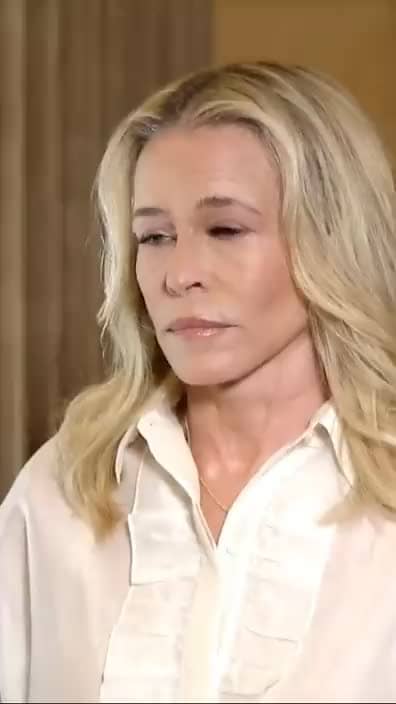
Burned in
Captions are drawn onto the frames, so they show up identically on TikTok, Instagram, YouTube, LinkedIn and anywhere else.
Your original framing
We caption the video you uploaded at its own dimensions. Nothing is cropped, zoomed or reframed.
Word-level timing
Each word gets its own timestamp from the transcript, so the highlight lands on the syllable instead of drifting behind it.
No SRT or VTT export yet — the captions come baked into the MP4.
04 / Process
Four steps, no timeline
01
Paste a link or upload a file
Any public YouTube URL, or an MP4, MOV or WebM from your machine.
02
Pick a style
The style modal opens as soon as you've chosen your video: six presets, a position slider, and — with a credit pack — fonts, colours, animation and size.
03
We transcribe it with word-level timestamps
Speech recognition runs over the audio and returns every word with its own start and end time. Language is detected automatically — you don't pick one.
04
Captions are rendered and the file is yours
Your chosen style is drawn onto the frames and the finished MP4 appears in your dashboard to download.
05 / Copy
It writes the post, too — from the video, not a prompt
This is where AutoShorts differs from asking a chatbot. Generate clips from a long video and each one arrives with copy written from that video's own transcript, so it references what was actually said.
- A TikTok caption with 3–5 niche hashtags — never #fyp or #viral
- An Instagram caption with a hook line and 5–8 tiered hashtags
- A YouTube Shorts title, kept under 100 characters
- A short hook you can burn over the opening seconds
Written in whatever language is spoken in the video. This comes with clip generation rather than the captioner — captioning a video adds subtitles to it, it doesn't write posts.
See how clip generation works →06 / Credits
What it costs, plainly
1 credit ≈ 5 minutes
A 12-minute video costs 2 credits. You start with 3 free, and credits never expire.
Free tier limits
Up to 250 MB and 15 minutes per video while you're on free credits. Any purchase raises that to 2.5 GB and 90 minutes.
The free watermark is not subtle
Until your first purchase, two scrolling autoshorts.app bands cross the video. We'd rather you know that now than after the render.
Refunded if it fails
Credits are charged when the job starts and returned automatically if it doesn't finish — including when there's no speech to caption.
07 / FAQ
Questions, answered straight
Including the ones about languages and what you can't do yet.
What caption styles can I choose from?
Six: Hormozi (white with cyan highlights), MrBeast (yellow with orange), Karaoke (a colour wipe across each word), Minimal (clean, near-white), Bounce (bright with a pop) and Classic (white with yellow). Each one sets the typeface, colours, outline weight and animation together, and every one highlights word by word. Any of it can be changed with a credit pack: font, both colours, outline weight, size, animation and a background box.
Which languages work?
Speech recognition handles around 100 languages and detects yours automatically. Rendering is where to be careful: Latin, Cyrillic, CJK, Arabic, Devanagari, Thai and Hebrew scripts are supported, and non-Latin scripts fall back to a font that covers them rather than the style's display face. Emoji that appear in the transcript are dropped, because the subtitle renderer can't draw them.
Can I edit the captions or move them?
You can move them — drag the caption on the live preview, or use the position slider, before the job starts. With a credit pack you can also change the font, colours, animation and size. Switching style after a job has run means running it again, which costs another credit, and rewriting the words themselves still lives in the clip editor.
Are the captions burned in, or can I get an SRT?
Burned in. You get one MP4 with the captions rendered into the picture, which is why they look the same on every platform. There's no SRT or VTT export yet.
How long can the video be, and how long does it take?
15 minutes and 250 MB on free credits; 90 minutes and 2.5 GB once you've bought a pack. Transcription and rendering run on CPU, so a long video can take a while — roughly a minute of processing per minute of footage, more for very long files. You can close the tab; the job keeps running.
How accurate is the transcription?
It's a Whisper-family model running with word-level timestamps, and it handles accents and fast speech well. It isn't perfect — background music, crosstalk and unusual proper nouns are where mistakes show up. If a caption comes out wrong, the clip editor lets you correct the text directly.
Put captions on your next video.
Most social video is watched on mute. Captions are the difference between someone hearing you and someone scrolling past — and your first few minutes are free.
Add captions free3 free credits · No credit card · Refunded automatically if a job fails
More Platform Tools
Create optimized short-form content for every platform
08 / Blog
From the blog
Deeper reading on this topic