Learn how to pick music for YouTube Shorts without copyright claims. Master Content ID, find safe sources, and keep your videos live.
You've built the perfect Short. Pacing works, framing is tight, the hook lands in the first second. You upload it, watch the first hundred views roll in, then check your dashboard and see it: audio flagged, revenue redirected to a label you've never heard of. Sometimes it's worse. The video gets blocked before anyone sees it at all.
Music choices do more than set mood. They decide whether your Short stays live, who gets paid for it, and how many hours you burn on appeals instead of making the next one.
This guide treats music selection as a workflow, not a shopping list. We'll cover what Content ID actually flags in 2026, including how AI-generated tracks complicate detection in ways most guides skip entirely. We'll walk through the real tradeoffs between free libraries, licensing platforms, and trending audio grabbed straight off someone else's viral post.
No guesswork. No recovery emails. Just a way to pick music that stays clean from upload one.
Content ID detects music faster than you think
Most creators picture Content ID as a slow, dumb filter. It isn't. It's closer to a fingerprint scanner that never sleeps, and it's already looked at your audio before your first viewer has.
How YouTube's AI scans audio in seconds
YouTube's Content ID matches the audio in your upload against a database of registered tracks, and it does this within seconds of the file landing on their servers. According to PostLink, licensed songs pulled from YouTube's own sound picker are generally safe, while outside audio gets run through this fingerprint match regardless of how you sourced it.
That speed is the point. It's not scanning for a title or a filename. It's listening.
Why remixes and background loops still trigger claims
Here's the part that surprises people: you don't need the whole song. A five-second loop buried under dialogue, a slowed-down sample, a chipmunked remix — Content ID can still recognize the underlying track and fire a claim. According to Gyre, this is exactly why trending audio feels like a minefield: the trend often is a remix, and the system doesn't care that it's been pitched up or chopped into a loop.
Key Point: A claim is not a strike. It won't threaten your channel standing on its own, but according to Postbase, it can still limit a video's reach, block it outright, or hand your ad revenue to the rights holder — depending entirely on what that rights holder configured.
That range matters. Some labels just want the money and let your video run. Others block on sight. You won't know which until it happens.
YouTube Audio Library is your safest starting point
If you're going to gamble on one music source, don't gamble at all. Start here instead. YouTube's own library is built specifically to survive Content ID, because YouTube runs both systems. That alone puts it ahead of anything scraped off a random "no copyright music" playlist.
What's actually included and what isn't
The library gives you tracks cleared for commercial use at no cost, which makes it the lowest-risk option for monetized Shorts. According to Foxi, the library gets updated regularly, but the selection still skews generic. If your niche needs a specific mood — dark ambient, aggressive drill, a particular regional sound — you'll hit the ceiling fast.
That's the tradeoff: safety over specificity. You trade a distinctive sound for a guaranteed clean upload.
How to filter for commercial use and attribution requirements
Not every track is free of strings. Some require attribution — a credit line in your description — which adds friction but keeps you compliant. Skip that step and you're technically in breach, even on a track from YouTube's own shelf.
Warning: Filter by "no attribution required" if you want to avoid manually editing every video description. It's a checkbox, not a paragraph of legal text.
One real advantage: licensing is platform-wide. According to Make Video Short, navigating music licensing for Shorts has gotten complicated with outdated advice circulating everywhere, which is exactly why a source YouTube controls end-to-end is worth defaulting to. No extra permissions, no paperwork, no separate sync license to track down. Once it's cleared for YouTube, it's cleared.
Trending audio works only inside strict limits
Trending sounds feel free. They aren't. That trending track in the Shorts picker comes with a license that's narrower than most creators assume, and the boundaries aren't obvious until you cross one.
The 60-second licensing boundary most creators miss
According to PostLink, licensed songs from the sound picker are usually cleared for use, but that clearance has a shape to it. It's built for the Shorts format specifically. Pull that same audio into a long-form upload and you're not in Shorts territory anymore — you've left the boundary the license was drawn around, and Content ID treats it accordingly.
The catch: the license attaches to the in-app selection, not the song itself. Grab the track from Shorts and drop it into a 10-minute video, and you'll trigger a claim just as fast as if you'd ripped it from Spotify.
What happens when you use Shorts audio in long-form videos
The claim itself isn't the only cost. If a trending track is doing real work for you — carrying pacing, cueing a joke, driving completion rate — you can't extend that clip or remix it into something longer without risking exactly the same claim. The license doesn't travel with the composition. It's tied to that specific, short, in-app use.
Cross-platform reuse makes this worse. Audio cleared inside YouTube Shorts isn't automatically cleared on Instagram Reels or TikTok — each platform negotiates its own rights deals, and Foxi notes these limits and monetization rules are worth checking platform by platform before you assume portability.
Warning: A claim on a Short that's already trending doesn't just cost you the track — it costs you the algorithmic momentum while you dispute or swap audio, and that window rarely reopens.
Treat trending audio as single-use, single-platform, single-length. Anything more ambitious, build with music you actually own the rights to.
Paid licensing: when it pays off and when it doesn't
Paying for music sounds like the responsible thing to do. Sometimes it is. Sometimes it's just money leaving your account for a problem you don't have. The math depends entirely on how often you publish, not on how nervous you are about copyright strikes.
Comparing Epidemic Sound, Artlist, and Soundstripe for Shorts workflows
All three run on the same basic promise: pay monthly, get unlimited use, monetize freely, upload anywhere. Epidemic Sound, Artlist, and Soundstripe cover cross-platform distribution and are built specifically so tracks don't trigger Content ID claims when you're subscribed.
According to Epidemic Sound, YouTube's Shorts monetization runs on a revenue-sharing pool split between creators and rights holders each month — which is exactly the system a proper license keeps you clear of on the music side. That's the whole appeal: one less variable in a payout you don't fully control anyway.
How subscription costs stack up against claim frequency
Monthly fees land somewhere between $9 and $30+, scaling with license scope. Publish five Shorts a week and that $20 subscription is costing you a dollar a video. Publish twice a month and you're paying $10 a video for a problem the free YouTube library already solves.
Key Point: Licensing typically grants perpetual rights for anything published while your subscription is active. Cancel later, and those videos stay covered — but any new upload needs an active plan.
If you're posting sporadically and haven't had a claim yet, save the money.
Build a workflow that prevents claims before upload
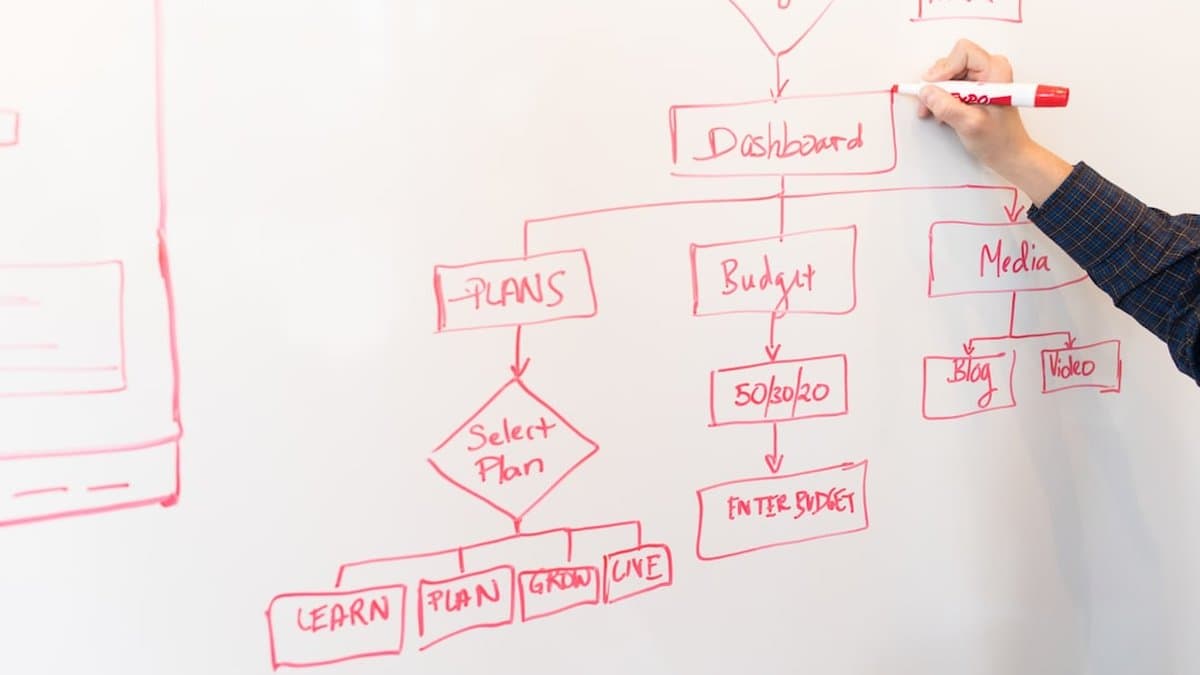
Most creators treat copyright as a cleanup job. Something you deal with after the claim lands. That's backwards. The whole point of a workflow is to catch the problem before it costs you a re-upload, so build the check into your process, not your reaction to it.
Pre-flight checklist: verifying rights before you publish
Before you upload anything, know exactly where the audio came from. Not "some Shorts sound" — the actual source.
That last point trips up more people than it should. According to PostLink, the licensing on sound-picker tracks is built for the Shorts format specifically, which means the clearance doesn't travel with the audio file once you export it elsewhere.
How to handle a claim when it arrives anyway
A claim isn't a strike. Check first whether it's blocking the video, monetizing it, or just tracking views. According to Postbase, a claim is Content ID flagging your video automatically, and most claims on Shorts monetize rather than block — the video stays live, but the rights holder takes the ad revenue.
Warning: Disputes only work if you have documented permission. If you used a track outside its license terms, the claim stands. Contesting it wastes your time and won't change the outcome.
If the claim isn't blocking distribution, ask whether swapping the audio is worth losing the URL and every metric attached to it. Often it isn't.
Start with the free option, not the impressive one
Here's what to actually do: cut your next three Shorts using YouTube Audio Library. Nothing else. Content ID scans in seconds, and the library is the one source built to pass that scan every time. There's no reason to complicate your first move.
Skip the trending sound chase, at least as a default. It feels like the savvy choice, but the license only holds inside the Shorts format and under 60 seconds. Reuse that clip anywhere else and you've built a claim into your own workflow.
If three Shorts in, the library feels thin, try a one-month subscription to Epidemic Sound or Artlist. Track the hours it saves against what it costs. That's the only comparison that matters — not whether paid sounds "better."
And if you're cutting multiple clips from long-form video, the music decision repeats itself per clip. AutoShorts automates the clipping and captioning side of that, so the only thing left to decide is the audio.
Frequently asked questions
YouTube's Content ID uses AI-powered audio fingerprinting that scans your upload within seconds of it hitting their servers, matching your audio against a database of registered tracks. This detection works even on remixes, background loops, and slowed-down samples—the system recognizes the underlying track regardless of how the audio has been modified. The speed and accuracy mean your music is flagged before your first viewers even arrive.
Start with YouTube's Audio Library, which is free and officially cleared for commercial use, making it the safest option for creators. If you need more variety, stick with licensed music from reputable platforms that provide proper clearance documentation. How to choose music for Shorts without getting copyright strikes ultimately comes down to using officially cleared sources rather than trending audio from other creators' videos or unlicensed tracks.
No—Content ID can recognize remixes, chipmunked versions, and slowed-down samples because it detects the underlying track, not just the original recording. Even a five-second loop of a copyrighted song buried under dialogue will trigger a claim. If a trend is built on a remix, using that remix puts your video at the same copyright risk as using the original.
The outcome depends on what the copyright holder's claim settings are: your video might be blocked entirely, your monetization could be redirected to the label, or the video could stay live while revenue is claimed. You won't know which penalty applies until the claim is processed. In all cases, you'll have the option to dispute or remove the audio, but prevention through choosing music carefully upfront is far simpler than dealing with claims after upload.
Trending audio is often built on remixes or unlicensed samples that haven't been cleared for YouTube's monetization system, even though they might be allowed on other platforms. YouTube's Content ID doesn't care that a sound is viral elsewhere—it only checks against its own copyright database. What's safe on one platform can result in a strike on YouTube, which is why relying on trending audio that you didn't create is inherently risky.
YouTube's Audio Library is the best starting point because it's free and guaranteed to be cleared for YouTube use, so there's zero licensing risk. Royalty-free platforms can work if they provide proper clearance documentation, but they add cost and require you to verify each track is cleared for YouTube monetization. Unless you need a specific sound that isn't available in the Audio Library, there's no benefit to paying for royalty-free music when a safe, free option exists.