Convert long lectures into engaging short-form videos. Learn chunking strategies, tools, and techniques to maximize student engagement and retention.
Introduction
Are your valuable full-length lectures gathering digital dust, struggling to capture attention in today's fast-paced content landscape? Here's the thing: short-form video consumption in education has exploded by 90% year-over-year, yet many educators and content creators are sitting on goldmines of lecture material that never reaches these hungry audiences. The traditional lecture format, while comprehensive and thorough, often fails to deliver the viewer retention and learning outcomes that modern learners crave.
The good news? You don't need to start from scratch. Your existing lectures already contain the perfect raw material for creating engaging, bite-sized educational content. The challenge is knowing how to extract those golden moments without losing the educational substance that makes your content valuable in the first place.
This guide cuts through the confusion with a creator-focused, tool-agnostic workflow designed specifically for educators like you. We'll walk you through identifying which lecture segments naturally transform into compelling short videos, breaking down the technical process into manageable steps, and most importantly, maintaining your content's educational integrity throughout the conversion process.
Ready to unlock the full potential of your lecture library? Let's dive in and discover how to turn hours of valuable content into dozens of shareable, accessible educational gems.
Now that you're ready to transform your content, let's talk about the strategic approach that makes it all possible. We'll explore the art of breaking down those lengthy lectures into bite-sized, engaging shorts that keep your audience hooked from start to finish.
From Long Lectures to Engaging Shorts: The Art of Chunking

The modern learner has a problem: attention spans are shrinking, but course material keeps growing. Here's where chunking—breaking your comprehensive lectures into focused, bite-sized videos—becomes your secret weapon. Instead of asking students to sit through a 60-minute lecture, you're giving them digestible learning moments they can consume, absorb, and retain. This shift from marathon to sprint isn't just about convenience; it's backed by solid learning science and viewer behavior data.
Why Short-Form Videos Win in Education
According to VideoLearningAI, learner engagement drops significantly after 6-9 minutes of video content. Think about that for a moment—your most compelling 60-minute lecture loses its audience's attention halfway through. Multiple short videos, by contrast, allow learners to reset their focus between concepts, making each video feel fresh and manageable.
The numbers tell the story. Research from Concordia University confirms that breaking content into shorter segments dramatically improves comprehension and retention. When students watch a 5-minute video on one concept, then another 5-minute video on the next concept, they're not just passively consuming—they're engaging with discrete, memorable units of knowledge.
Pro Tip: Aim for videos between 3-7 minutes. This sweet spot maintains engagement while allowing enough time to explore your concept thoroughly without overwhelming viewers.
Identifying 'Snackable' Moments: The Core Idea Framework
The challenge isn't finding content to chunk—it's knowing what to chunk. Every lecture contains natural breaking points: key definitions, worked examples, demonstrations, or conceptual transitions. Your job is spotting them.
Start by asking yourself: What is the single learning objective of this segment? Each short video should answer one clear question or teach one core concept. If your lecture explains photosynthesis, don't try to cram photosynthesis and cellular respiration into one video. Instead, create one focused video on light-dependent reactions, another on the Calvin cycle. This specificity enhances both comprehension and recall because viewers aren't juggling multiple ideas simultaneously.
Scripting for Impact: Conversational & Concise
Once you've identified your snackable moments, the scripting phase transforms them into compelling short videos. Here's the golden rule: abandon your formal lecture tone. Instead of "Furthermore, we must consider the epistemological implications," try "Here's the thing—most people get this wrong, and here's why it matters."
Conversational scripts feel personal and engaging. They invite viewers into a direct conversation rather than lecturing at them. Keep sentences short, use contractions like "you're" and "it's," and don't shy away from phrases like "So here's what you need to know." Prioritize clarity over sophistication—your goal is direct communication that sticks with viewers long after they close the video.
Key Point: Short-form doesn't mean rushed. Leave room for explanation, examples, and emphasis. A 5-minute video with breathing room beats a cramped 3-minute scramble every time.
Now that you understand the pacing principles that make short-form content shine, let's talk about how to actually create these polished videos without spending hours in the edit bay. I'll walk you through the tools and AI tricks that can streamline your entire workflow—so you can focus on storytelling instead of wrestling with software.
Streamline Your Workflow: Tools & AI for Short Video Creation
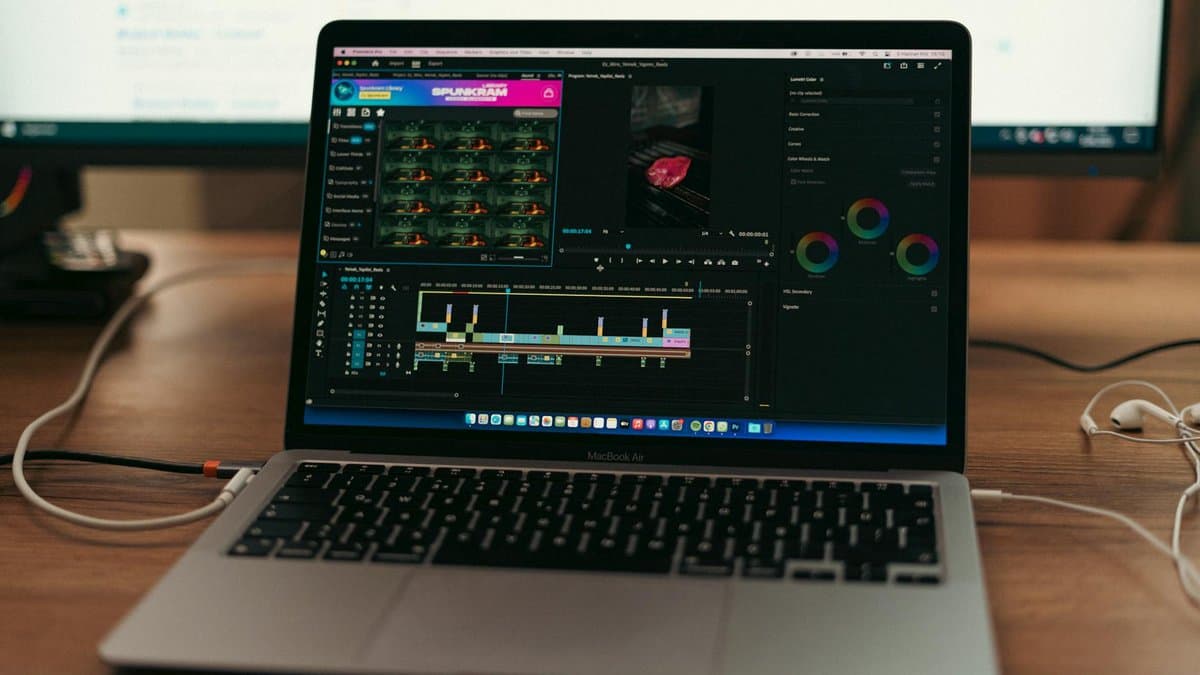
Creating professional-quality short-form videos doesn't require a Hollywood budget or years of technical expertise. The real secret? Smart tool selection and strategic automation. By combining affordable equipment with AI-powered software, you can dramatically cut production time while maintaining that polished, engaging look your audience expects.
Pro Tip: The best equipment is the one you'll actually use. Start simple and upgrade strategically as your needs grow.
Essential Equipment for High-Quality Shorts
Here's the good news: you probably already own the most important piece of equipment in your arsenal—your smartphone. Modern phones capture stunning video quality that rivals cameras costing ten times as much. Pair it with free or affordable software like iMovie (iOS), Clipchamp (web-based), or CapCut, and you're already ahead of the game.
The one piece of gear worth investing in is a lavalier microphone (around $20-50). According to X-Pilot, audio quality is often the difference between amateur and professional-sounding content—and viewers will tolerate imperfect video far more readily than poor audio. A clip-on mic ensures clear dialogue whether you're recording talking-head segments or screenshare tutorials.
AI-Powered Automation: Scripting, Editing, & Captions
This is where the real efficiency gains happen. AI tools can reduce your video production time by 60-80%, especially when handling repetitive tasks like scripting and captioning. Start with ChatGPT to generate tight, punchy scripts from your lecture notes. Feed it your key points, specify the target length, and it'll produce engaging copy in seconds.
For editing and captioning, tools like Descript work like magic—they transcribe your video automatically, let you edit by editing the transcript, and generate captions simultaneously. No more manually syncing subtitles frame-by-frame. According to VideoLearningAI, auto-captioning is essential for modern educational content, improving accessibility while boosting engagement (many viewers watch without sound).
Key Point: AI caption generation isn't just convenient—it's a learner accessibility requirement and a proven engagement booster.
Efficient Batch Production Workflows
The magic happens when you systematize your process. Instead of creating one video at a time, batch your workflow by converting multiple lectures at once. Here's a streamlined approach:
Combine screen recording (for concept visuals and slides), talking-head segments (for personality and explanation), and stock visuals or diagrams to create dynamic, multi-layered content that holds attention. This layered approach transforms dry lecture material into engaging visual storytelling—all without requiring advanced editing skills.
Warning: Don't let perfectionism be the enemy of productivity. Your first batch of shorts won't be flawless—and that's perfectly fine. Each video teaches you something that improves the next one.
Now that you've embraced the learning process and started creating, let's talk about what makes those videos actually stop the scroll—because imperfect content that captivates your audience will always outperform polished content that puts them to sleep. We'll dive into the specific techniques for pacing, visuals, and accessibility that transform casual viewers into engaged fans.
Captivate & Educate: Pacing, Visuals, and Accessibility
You've chunked your content and streamlined your workflow—now it's time to make sure your short-form videos actually keep viewers engaged until the end. This is where pacing, visuals, and accessibility become your secret weapons. The truth? A well-paced video with thoughtful design choices can mean the difference between a viewer who clicks away after five seconds and one who completes your entire video and actually remembers what they learned.
Visual Storytelling and Dynamic Pacing
Your visuals aren't just decoration—they're the backbone of your message. According to University of Oklahoma, minimizing on-screen text while using strong visual cues to highlight key information significantly improves both retention and viewer engagement. Think of it this way: if viewers are reading dense text blocks while listening to you talk, their attention splits, and neither gets the full benefit.
Design your visuals to reinforce your message rather than repeat it. Use dynamic graphics, screen recordings, animations, or real-world footage that shows—don't just tells. When explaining a concept, pair your voiceover with a relevant visual that reinforces the idea. Keep the pace conversational and natural; speak like you're talking to a friend, not reading from a script. This human connection is what transforms educational content from feel-like-a-chore to genuinely engaging.
Pro Tip: Vary your visual elements every 5-10 seconds to maintain viewer attention. Switch between your face, screen recordings, graphics, and B-roll to create rhythm and prevent visual fatigue.
The Power of Captions and Chapters for Accessibility
Here's a statistic that should grab your attention: videos with captions see 85% higher completion rates, according to X-Pilot. Beyond the numbers, captions are essential for accessibility—they serve viewers who are deaf or hard of hearing, those watching in noisy environments, and even non-native speakers who benefit from seeing words as they hear them.
But captions are just the beginning. Use chapter markers to break your video into digestible sections with clear timestamps. This isn't just nice for accessibility; it's a game-changer for viewer experience. People can quickly jump to the section they need, making your videos infinitely more useful as reference materials. When viewers know they can navigate easily, they're more likely to return and recommend your content to others.
Adding Interactive Elements for Deeper Learning
Here's the secret nobody talks about: passive viewers become passive learners. The moment you invite interaction, everything changes. Embed open-ended questions that make viewers pause and think. Ask "What would you do in this situation?" or include quick polls that spark reflection. Tools like interactive quizzes embedded within video platforms turn what could be a one-way broadcast into an active learning experience.
The beauty of short-form video is that you can test these interactive elements and iterate based on what works. Does your audience respond better to mid-video questions or post-video quizzes? Track your analytics and adjust. According to Concordia University, interactive elements within educational videos significantly increase learner engagement and knowledge retention compared to straight lecture delivery.
Key Point: Interactive elements don't just improve learning—they provide you with valuable data about what resonates with your audience, helping you refine future content.
Now that you understand how interactive elements can transform your content and teach you what your audience loves, let's zoom out and look at the bigger picture. We'll explore how to leverage different platforms strategically and track the metrics that truly matter for growing your reach and keeping people coming back.
Reach & Retention: Platform Strategies and Performance Metrics

You've created compelling short-form educational videos—now comes the crucial part: getting them in front of the right people and keeping them engaged. The platform you choose and how you optimize for it can make the difference between a video that fades into obscurity and one that transforms learning outcomes. According to X-Pilot, educators who tailor their content to specific platform requirements see significantly higher engagement and retention rates. This section explores the strategies and metrics that help you maximize your reach while maintaining the educational integrity your audience expects.
Tailoring Content for Multi-Platform Distribution
Not all platforms are created equal, and neither should your short-form videos be. YouTube Shorts demand vertical video (9:16 aspect ratio), punchy editing, and 15-60 second formats, while Instagram Reels thrive on trending audio and visual hooks. TikTok prioritizes entertainment value alongside education, and LinkedIn rewards professional insights with polished, structured narratives.
Each platform has distinct best practices that go beyond just dimensions. YouTube Shorts algorithms favor watch time and completion rates, TikTok rewards shares and comments, Instagram Reels benefit from carousel-style storytelling, and LinkedIn values commentary that sparks meaningful conversation. Rather than creating one video and resizing it for each platform, consider adapting your core content to match what each audience actually wants to consume.
Pro Tip: Use platform-specific trending audio and effects strategically. A trending sound on TikTok that aligns with your educational message can triple your video's reach without sacrificing credibility.
Measuring Success with Viewer Analytics
Numbers tell a story—but only if you're looking at the right ones. Completion rate is your most honest metric; it shows how many viewers watched your entire video versus bouncing after five seconds. Viewer retention graphs (available on YouTube and TikTok) reveal exactly where audiences lose interest, helping you identify pacing or content issues. Track engagement metrics like comments, shares, and saves—these signal that your content resonated enough for viewers to take action.
According to University of Oklahoma, analyzing viewer behavior patterns helps educators understand whether their pedagogical approach is landing. Beyond vanity metrics like view count, focus on audience retention, click-through rates on learning resources, and conversion rates (if you're directing viewers to complete lessons or assessments).
Watch Time
Audience Retention
Engagement Rate
Iterative Optimization for Learning Outcomes
Your first batch of videos won't be perfect—and that's intentional. The real power comes from using analytics to refine your strategy with each release. If you notice that videos under 45 seconds get 80% completion rates while longer videos drop to 45%, that's your signal to chunk even more aggressively. If comments reveal that viewers want deeper dives into specific concepts, consider creating follow-up content addressing those gaps.
The goal isn't viral vanity metrics—it's sustainable learning outcomes. As you iterate, maintain a balance between what your analytics say works (shorter hooks, trending sounds, quick cuts) and what your learners actually need (substantive explanations, verification of understanding, clear takeaways). Track not just engagement metrics, but downstream indicators: Are students applying the concepts? Are they completing full courses? Are they returning for more content? That's when you know your reach strategy is working.
Now that we've explored all the key strategies for measuring real impact beyond the numbers, let's bring it all together and recap what truly matters. Understanding these downstream indicators is your roadmap to building an educational platform that doesn't just attract an audience—it transforms them.
Conclusion
You now have everything you need to transform your lectures into engaging short-form educational content that actually reaches your audience. Let's recap what we've covered: chunking your content strategically makes dense material digestible, leveraging AI tools eliminates hours of tedious editing work, and designing for visual appeal and interactivity keeps viewers coming back for more.
The real magic happens when you combine these elements with smart platform distribution and continuous performance tracking. Your valuable knowledge deserves to be seen, shared, and learned from—not buried in hour-long videos that nobody has time to watch.
Here's your action plan: Start small by identifying one "snackable" concept from your next lecture. Experiment with different formats, tools, and platforms to see what resonates. Tools like AutoShorts can help automate the clipping and caption process, letting you focus on strategy rather than manual editing. Remember, the goal isn't perfection—it's creating content that educates and engages.
Your educational impact is waiting on the other side of that first short-form video. The learners who need your expertise are scrolling right now. So what are you waiting for? It's time to let your lectures shine in the format modern learners actually consume.
Frequently asked questions
The optimal length depends on your audience: 3-6 minutes for elementary students, 6-10 minutes for middle school, and 8-15 minutes for high school learners. Research shows that viewer engagement drops significantly after 6-9 minutes, which is why breaking longer lectures into these shorter segments dramatically improves retention and learning outcomes. Matching video length to your audience's grade level ensures maximum effectiveness.
Focus on identifying natural breaking points in your lecture where concepts naturally conclude or transition to new topics. Look for segments that stand alone as complete learning moments rather than requiring the full lecture context. Use the chunking strategy to isolate these focused, bite-sized teaching moments that can function independently as engaging educational content.
Yes, AI tools can reduce educational video production time by 60-80% when used strategically for scripting, editing, and auto-captioning tasks. These tools handle time-consuming technical work like generating captions and organizing footage, allowing you to focus on ensuring educational integrity and instructional quality. Combined with a systematic workflow, AI significantly accelerates how to create educational short-form videos from lectures without sacrificing content quality.
The best distribution strategy involves multiple platforms tailored to where your audience spends time, including YouTube Shorts, TikTok, Instagram Reels, and LinkedIn, depending on your target learner demographic. Each platform has unique optimization requirements and audience behaviors, so you'll want to adapt your video format and messaging accordingly. A multi-platform approach maximizes reach and ensures your educational content reaches learners wherever they prefer to learn.
Add captions, chapter markers, and interactive elements like quizzes or discussion prompts to boost both accessibility and engagement. Captions benefit learners in noisy environments and improve comprehension, while chapters help viewers navigate longer content and find specific topics easily. These additions transform passive watching into active learning while ensuring your content reaches viewers with different learning preferences and accessibility needs.
Short-form video consumption has exploded by 90% year-over-year because modern learners prefer digestible, focused content that fits their busy schedules and shorter attention spans. Each short video acts as a complete learning unit, allowing students to reset their focus between concepts rather than struggling through a lengthy lecture. This shift from traditional marathons to bite-sized sprints aligns with both learning science and how today's audiences naturally consume information online.