
Convert customer reviews and UGC into TikTok-ready video clips with AI. Boost social proof and engagement without hiring creators or editors.
A five-star review sitting on your product page is doing almost nothing. It sits there, static, waiting for someone to read paragraph three before they trust your brand enough to buy. Meanwhile the same customer's words, turned into a fifteen-second clip with captions and a face on screen, could be running on TikTok right now, next to the exact kind of content people actually stop scrolling for.
That gap is the problem. Short-form video is where e-commerce attention lives, and text reviews don't travel there on their own. Someone has to convert them.
AI video tools now do that conversion in minutes: take a written review, product footage, or a customer's own UGC clip, and output something TikTok-ready without a script, an editor, or a paid creator. This guide covers how those tools actually work, which ones suit which workflow, and — because this matters more than most guides admit — when a polished AI clip is worse for you than a shaky, real one someone filmed on their phone.
Why Short-Form Video Reels Matter More Than Static Reviews

A review is a claim. A video is a demonstration. That difference sounds small until you're the one scrolling, and it explains most of the gap between a review that gets skimmed and one that gets watched to the end.
The social proof advantage of video
Text testimonials ask for trust up front. A video earns it as it plays. You hear the hesitation in someone's voice before they say the product actually worked, you see the face, you see the product in a hand instead of a stock photo. That combination of trust, motion, and voice is why video ads built from real reviews tend to outperform text testimonials sitting in a feed. According to VIDEOAI.ME, reviews that would otherwise sit unused in an inbox become far more effective once turned into video ads rather than left as static quotes.
The tradeoff is production effort. A written review costs nothing to publish. A video costs a script, a face, and editing time — unless you're pulling from footage you already have, which is the whole point of turning existing reviews into clips rather than filming new ones.
Where your audience actually discovers products
People are not browsing product pages looking for reasons to trust you. They're on TikTok, Instagram Reels, YouTube Shorts, and they've already decided what they're willing to stop for. Static content doesn't compete there. It isn't even in the running.
This is the part that gets treated as optional and shouldn't be. Short-form video isn't a nice add-on to an e-commerce marketing plan anymore — it's the surface where visibility gets decided.
Key Point: A five-star review on your product page and the same review as a fifteen-second clip on Reels are not the same asset. One waits. The other competes for attention.
Why platforms prioritize video content
Platforms reward the format their users engage with, and that format is video. User-generated content and customer reviews rank among the highest-converting content types in e-commerce — but only in formats people are actually willing to consume in the first place. A glowing paragraph nobody reads converts nothing.
According to Quoli, turning reviews into creative for Meta, Instagram, TikTok, and Google is now treated as a standard step in the ad pipeline, not a specialty task requiring a designer's queue. That shift matters: it means the barrier to producing review-based video has dropped, and the competitive expectation has risen to match.
How AI Generates Video Clips from Product Links and Reviews
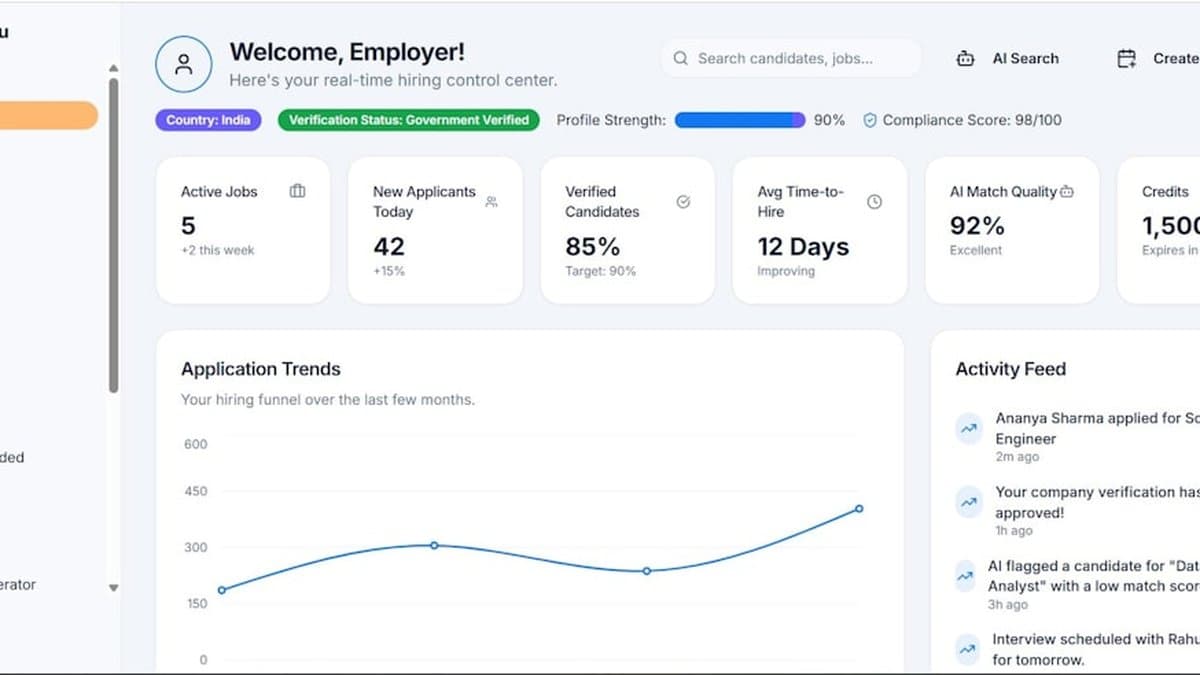
The underlying mechanics vary more than the marketing pages suggest. Some tools generate video from nothing but text and product data. Others clip existing footage. Those are different jobs, solving different problems, and confusing them is how you end up disappointed with a tool that was never built for your use case.
The basic workflow: link to finished video
At one end sit tools that need no footage at all. According to Quoli, the process is: pick a review, choose a template, export — ready for Meta, Instagram, TikTok, and Google, with no designer queue involved.
Saymore-style tools push this further, generating a script from product data and pairing it with one of several AI avatars, turning a bare product link into a 12-second, TikTok-ready clip in one to three minutes. Ten-plus avatar options means some brand control, but you're still choosing from a set, not filming your own spokesperson.
What happens behind the scenes
Review-to-video tools work differently. According to ReviewReel, you paste a Google review link, and the platform turns it into a designed, ready-to-post video in seconds — no design skills required.
Under the hood, that means: extract the strongest segment of the review, apply a branded layout, render, export. No manual scrubbing through a timeline, no picking fonts.
Bytecap and ngram start from a different input entirely: real footage. According to Bytecap, the goal is to turn demos, reviews, tutorials, founder videos, and UGC into focused product clips for organic social, landing pages, and creative testing. This is closer to what AutoShorts does with longer source video — transcribing it, finding the moments worth keeping, and reframing to vertical without touching the footage itself. The editorial judgment gets automated. The human face on screen stays human.
Key Point: Text-to-video tools generate performers; clip-from-footage tools preserve them. Decide which one your brand actually needs before comparing prices.
Speed vs. customization tradeoffs
Speed and control pull in opposite directions here, and no tool escapes that.
A link-to-video generator gets you a finished clip in minutes, with almost no input from you. That's the appeal. It's also the ceiling — you get whatever avatar and template the tool offers, nothing more.
Clip-from-footage tools cost you more up front. You need actual video: a demo, a founder talking, a customer's UGC. But what comes out preserves the texture that scripted avatars can't fake — hesitation, tone, an actual human reacting to an actual product.
Generate from text
Clip from footage
Neither approach is wrong. The mistake is picking one without asking which problem you actually have: no footage at all, or too much footage and no time to cut it.
Comparing AI Video Tools: Speed, Automation, and Output Quality

Speed and authenticity trade off against each other, and every tool in this category picks a point on that line. Understand which point before you buy, not after your third video looks like every other brand's third video.
One-click tools: paste and publish
Saymore, Fotor, and UGCFirst all promise the same thing: paste a link or review, pick a template or avatar, download in under two minutes. According to Quoli, the workflow is deliberately stripped down — pick a review, choose a template, export, ready for Meta, Instagram, TikTok, and Google, with no designer queue and no Canva session.
That speed is real. So is the cost.
Templates repeat. Avatars repeat. Run enough clips through the same one-click tool and viewers start recognizing the format before they recognize your product. Fine for testing a hundred hooks fast. Bad as your only source of video if you want a feed that looks like it came from actual customers.
Warning: One-click output alone, without any genuine UGC mixed in, tends to read as obviously synthetic — pair it with real customer footage rather than replacing it.
Tools that require source material
Bytecap works differently. It repurposes existing footage, captions, and scripts rather than generating from nothing. According to Bytecap, the tool transforms demos, reviews, tutorials, founder videos, and UGC into focused product clips for organic social, landing pages, and creative testing.
That means it's only as good as what you feed it. Brands with a real library of demo and review footage get more mileage here than brands starting from zero. The setup cost is higher, too — footage needs collecting, reviewing, and often re-cutting before it's publish-ready. Nobody's exporting in two minutes.
Avatar-based vs. footage-based approaches
Avatar tools solve for consistency. Fotor generates a video in roughly five seconds; according to ReviewVideo, its approach lets you search a business, select a real review, choose an avatar, and generate a social-ready video in minutes, with premium studio hosts available for a more polished look. Same face, same voice, every time — good for brand recognition, weaker for the feeling that a stranger is genuinely telling you something.
Footage-based tools invert that. They preserve the texture of a real person talking, but only if the source clip was shot well. A blurry, badly lit customer video stays blurry and badly lit no matter how good the captioning is.
Avatar-based
Footage-based
If your team already clips long-form video into shorts, tools like AutoShorts sit closer to the footage camp — working from real recordings rather than synthesizing a face, which matters if authenticity is the whole point of using UGC in the first place.
Building a Scalable Workflow: From Reviews to Published Reels
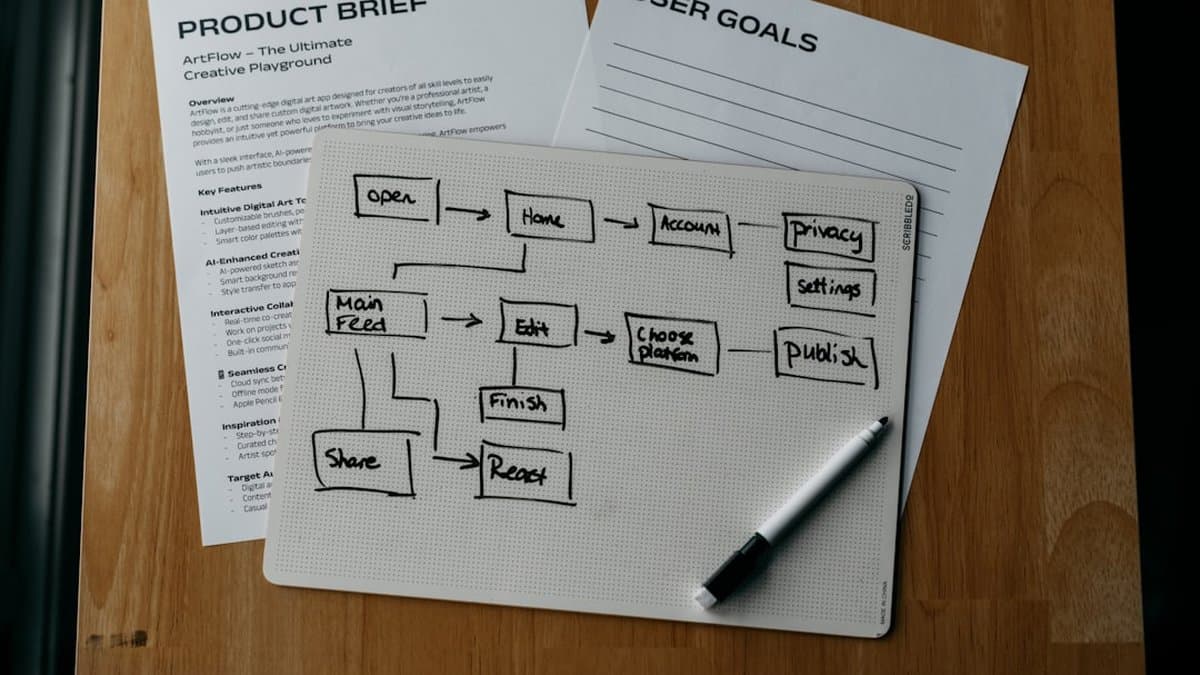
One video is a novelty. Fifty videos a month is a workflow, and most brands never make it from the first to the second because they built for the novelty. The tooling matters less here than the pipeline around it — where reviews come from, how many clips one input produces, and who checks the output before it goes live.
Sourcing reviews and UGC at scale
Reviews live in more places than most teams track. Google, Trustpilot, Amazon, and the DMs where a customer sends an unsolicited product photo — all of it is usable, and all of it is scattered.
The brands that keep up pull from all four rather than picking one and hoping. That means either an API integration or a bulk-upload feature, because copying reviews by hand caps you at a handful a week.
According to Quoli, the tool installs free on Shopify and turns reviews directly into ad creative for Meta, Instagram, TikTok, and Google — the Shopify integration is what makes automatic source detection possible, rather than manually feeding each review in one at a time.
Key Point: Bulk sourcing only pays off if your review volume justifies it. A store with 20 reviews a month doesn't need an API — a spreadsheet works fine.
Batch processing and automation
A single product link rarely produces one clip. It produces several — different hooks, different avatars, different pacing — and that's the point, not a byproduct.
Set up the workflow so one upload exports multiple variations for A/B testing, rather than regenerating from scratch each time you want to try a new angle. According to UGCFirst, finished video ads come out in about two minutes after pasting a product link, with the tool researching the product first rather than generating from the text alone. That research step is what separates a batch of usable variations from a batch of near-duplicates.
The tradeoff: batch output means more clips to review. Automation buys you volume, not judgment.
Review and approval before publishing
Automation handles most of the work. It does not handle the last ten percent, and that ten percent is where brand damage lives.
Check captions against the actual audio — mismatches are more common than they should be. Check that tone matches your brand voice; an avatar reading a five-star review in a flat monotone undercuts the review itself. According to Bytecap, the goal of turning reviews and demos into product clips is to show the product and answer the objection clearly — a video that's technically finished but tonally off does neither.
Skip this step and you'll publish faster. You'll also publish the occasional clip that misquotes a review or mispronounces the product name — and that costs more than the time saved.
When AI Video Works and When Genuine UGC Wins

Neither side of this debate is right. AI video wins on volume; real UGC wins on trust. Pick based on what the moment demands, not on which one you happen to have a tool for.
The authenticity question
AI-generated clips are honest about what they are: efficient, polished, occasionally uncanny. That's fine for some jobs and a liability for others. When a viewer's guard is already down — they searched for the product, they're comparing features — a synthesized voice reading a real review works. According to Fotor, AI creators are already positioned for product ads and launch content, which tells you where the format is strongest: explanation, not persuasion against skepticism.
Where it struggles is the moment a viewer is deciding whether to trust the brand at all. Polish reads as distance there. A slightly shaky phone video of a real person's real bathroom counter reads as proof.
Performance patterns across categories
Category matters more than most brands admit.
- Commodity and utility products (kitchen tools, tech accessories, home goods): AI clips built from reviews perform fine. Buyers want to know it works, not who's holding it.
- Fashion, beauty, fitness: genuine UGC still wins. Fit, texture, how a foundation looks under office lighting, whether a leggings brand is see-through when you bend over — these are trust questions an avatar can't answer credibly.
- High-consideration purchases: testimonials with a visible, named, unpolished human carry more weight than anything generated.
The pattern is consistent: the more personal the risk to the buyer, the more the audience needs to see an unscripted human bear that same risk first.
Combining AI and real UGC
The workable answer is both, used for different jobs. According to Quoli, the pitch of review-to-creative tools is speed — pick a review, choose a template, export for Meta and TikTok without a designer queue. That's exactly the right use case for filling a content calendar cheaply: dozens of social-proof clips, low cost per unit, acceptable quality.
Save the budget for real UGC where it counts. Micro-influencer partnerships and customer testimonial shoots become your hero content — the ads that carry a major campaign or a paid push into a skeptical, high-competition category.
Worth knowing: Treat AI clips as volume and real UGC as your scarce, high-trust asset. Spending both budgets on the same thing is the most common mistake.
If your pipeline already involves cutting long testimonial footage into shorts, a tool like AutoShorts can handle the reframing and captioning on the real-human side, so the manual effort goes into sourcing better UGC, not editing it.
ROI and Metrics: Measuring Video Clip Performance
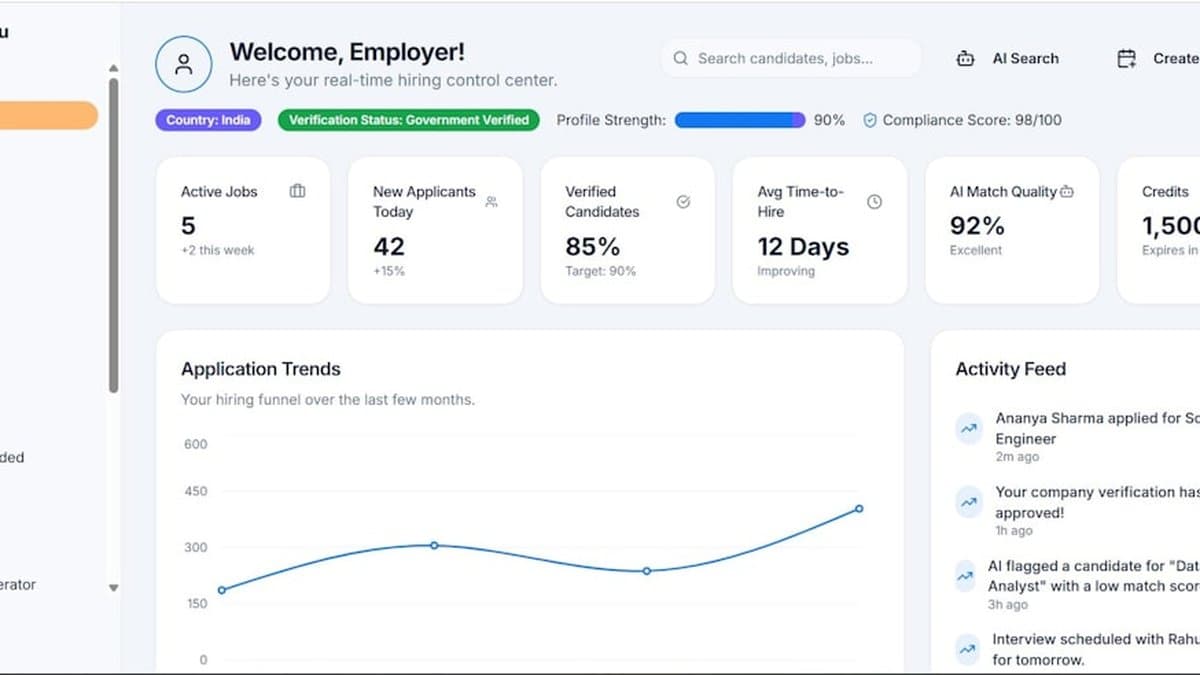
Most brands measure video success by whether it "feels" better than the review text sitting next to it. That's a start, but it's not a number, and numbers are what get budgets renewed. The actual case for AI clips is a cost equation, and it's a lopsided one.
Conversion lift from review-based videos
Text reviews get scrolled past. Video, in most feeds, does not — the format itself commands a pause that a paragraph doesn't. That's not a small edge. Platforms also tend to prioritize video in distribution, which means more impressions for the same spend and a lower cost-per-view than static creative competing in the same auction.
According to Quoli, turning reviews into short-form creative gives brands scroll-stopping assets ready for Meta, Instagram, TikTok, and Google without a designer queue — the point being that speed to publish is itself part of the conversion story, since creative that ships this week beats creative that's still in a Canva draft next month.
Cost per clip and production time savings
Here's the number that should drive the decision. AI-generated clips run $0.50 to $5 each, depending on the tool and plan. A freelance video creator runs $500 to $2,000 per video.
Run that math and a single tool subscription pays for itself after 100 to 400 clips — a volume most active e-commerce brands hit within a month, not a quarter.
Key Point: The cost gap isn't just about saving money on one video. It's what makes testing at all economically rational — you can't A/B test five variations of a $1,500 freelance shoot.
A/B testing multiple variations quickly
This is the part that actually changes strategy, not just spend. Because finished clips come back in minutes, teams can generate 5 to 10 variations of the same review — different avatars, different scripts, different caption styles — in a single batch.
Run them, see which converts, scale the winner. Kill the rest.
That loop is impossible at traditional production speeds. You cannot commission ten agency videos to find out which script wins; you commission one and hope. Platforms like Fotor build entire product lines around generating UGC-style ads from product photos and creator choices, which is really a bet that brands want options, not a single polished output.
Tools purpose-built for turning long-form footage into short clips — AutoShorts among them — make this batching practical rather than theoretical, since the constraint isn't creative judgment anymore. It's just credits.
Disclosure, Authenticity, and Legal Considerations

None of this is optional dressing. Skip disclosure and you're not being edgy, you're taking on legal exposure and betting your brand's trust on nobody noticing. Both are bad bets.
Being transparent about AI video
If an avatar or synthetic voice is presenting a review, say so. Audiences increasingly expect it, and platforms increasingly require it, and the FTC's rules on sponsored and endorsement content don't leave much room for interpretation: viewers need to know when they're watching a real customer versus a generated presenter reading real customer words.
The label doesn't have to be apologetic. A caption card, a voiceover disclaimer, a persistent on-screen tag — any of these does the job without killing the pacing.
Warning: Presenting an AI avatar as if it were an actual customer, without disclosure, is the fastest way to turn a cheap production win into a trust and compliance problem.
Maintaining brand voice in automated content
Automation without a script that sounds like a person is how you get uncanny, over-punctuated ad copy that nobody would actually say out loud. The fix is feeding the tool real inputs — the approved review text and actual brand guidelines — rather than a generic prompt.
According to ngram, the workflow is to paste an approved customer review and the context you're allowed to show; the tool writes a script, builds a storyboard, and renders a branded video that you review before publishing. That approval step matters. It's the difference between a pipeline and an unsupervised script generator.
Compliance and advertising rules
Meta, Google, and TikTok don't ban AI-generated video. They ban misleading claims and undisclosed endorsements, and AI video makes both easier to accidentally commit.
The cost of doing this right is a few minutes of review per clip. The cost of skipping it is a platform takedown, or worse, a regulator's attention. That trade isn't close.
Start With a Free Trial, Not a Contract
Test before you commit. Saymore and ReviewReel both let you generate a clip with no signup, so paste in a real review from your product page and look at the output with your actual customer in mind, not a demo customer. If it sounds like your brand, you have your answer in ten minutes. If it doesn't, you've lost nothing.
Skip the temptation to build a "content strategy" around this before you've made a single clip. That's backwards. Strategy documents don't tell you whether an AI avatar reading a five-star review feels convincing or feels like a scam ad — only watching one does.
Once a tool passes that test, match it to what you already have. No footage library, need volume fast: one-click generators. Sitting on unboxing videos or testimonial calls nobody's touched: a repurposing tool, or AutoShorts if you want clips and captions pulled automatically from long-form video you've already shot.
Then measure weekly, not monthly. Conversion lift shows up fast or not at all — waiting a quarter just delays the decision you already have the data to make.
Frequently asked questions
AI video generation platforms extract text from written reviews and automatically create short-form video clips by adding captions, voiceovers, and product footage. Tools like ReviewReel can generate TikTok-ready videos from Google reviews in seconds, while platforms like Fotor's AI UGC generator complete the process in 5 seconds or less. This eliminates the need for scripts, editors, or paid creators, making it possible to convert reviews into reels at scale.
Static text reviews require customers to trust your brand upfront and read through paragraphs to be convinced, while video testimonials demonstrate product value through motion, voice, and visual proof. Videos earn trust as they play—viewers see hesitation dissolve, hear authentic voices, and watch the product in real hands rather than stock photos. This combination of elements makes video reviews significantly more effective at stopping scrolls and driving conversions than text-only testimonials.
Short-form video is where e-commerce attention actually lives—on TikTok, Instagram Reels, and YouTube Shorts. Text reviews sitting on product pages don't travel to these platforms where your audience discovers products, while AI video clips can run alongside the exact content people stop scrolling for. Platforms themselves prioritize video format, making it no longer optional but essential for visibility and sales.
Most AI video generation platforms can produce TikTok-ready videos in 1-3 minutes from a product link or review text. Fotor's AI UGC generator averages just 5 seconds per video, while ReviewReel generates social-ready clips from Google reviews in seconds. This speed makes batch processing hundreds of reviews into video content feasible for e-commerce teams without dedicated production resources.
AI-generated videos are ideal for scaling and maintaining consistency, but authentic, shaky phone-filmed UGC often outperforms polished clips because viewers perceive it as more genuine and trustworthy. The best strategy is to use AI video tools to amplify existing customer footage and reviews while preserving some raw, unpolished content in your mix. This combination balances production efficiency with the authenticity that modern consumers increasingly expect.
AI video clips should be adapted and published across TikTok, Instagram Reels, YouTube Shorts, and Amazon and TikTok Shop, since these are where customers discover products and make purchase decisions. Each platform has slightly different aspect ratios and length preferences, but most AI video tools generate content optimized for multiple formats simultaneously. This multi-platform approach maximizes the reach and ROI of converting your reviews and UGC into video content.