Learn how to transform long-form interviews into engaging short-form social clips. Use AI tools and proven techniques to multiply your content ROI.
Introduction
Are you spending hours on interview content only to see it disappear after one watch? Yeah, we get it—you've recorded an amazing conversation, maybe even a full 45-minute podcast episode, and it feels like such a waste to let that gold sit in a single YouTube upload.
Here's the thing: the demand for short, snappy social media videos is relentless, and most content creators are stuck between a rock and a hard place. You either spend entire days chopping up interviews manually, or you watch your carefully crafted content languish while competitors flood social feeds with bite-sized clips.
But what if we told you there's a smarter way?
In this guide, we're breaking down exactly how to transform lengthy interview videos into captivating social clips—without losing your mind in the process. We'll walk you through practical, hands-on workflows that blend both cutting-edge AI tools and proven manual editing techniques, specifically designed for interviewers and podcasters like you. By the end, you'll know how to multiply your reach and engagement while reclaiming the time you'd normally spend editing.
Ready to get more mileage out of every interview? Let's dive in.
Before we jump into the how-to's, let's talk about the why—because understanding the real benefits of repurposing will make you actually want to do it. Here's why interview videos are pure gold for your social media strategy.
Why Repurpose Interview Videos for Social Media?
You've just wrapped up a fantastic 45-minute interview. It's packed with insights, stories, and gold-worthy quotes. But here's the reality: most people won't sit through the full video. That's where repurposing comes in. By breaking down your interview into bite-sized clips, you're not just salvaging content—you're multiplying your reach and meeting your audience where they actually are: scrolling through social media on their phones.
Maximize Your Content ROI
Let's talk about the math behind this. You've invested time, energy, and resources into creating that interview. Why let it live in just one place? According to Klap, a single interview video can be transformed into 7+ pieces of content, each optimized for different platforms and audiences. That's one recording generating dozens of potential touchpoints with your followers.
The payoff is undeniable: instead of a single long-form upload getting one round of views, you're creating multiple opportunities for engagement, shares, and visibility. Think of it as multiplying your content investment without doubling your work.
Pro Tip: A 45-minute interview can yield clips for Instagram Reels, TikTok, YouTube Shorts, LinkedIn, and Twitter—all from one source.
Meet the Demand for Short-Form Video
Social media has spoken, and it's loud: short-form video is king. Research shows that 45% of webinar attendees actually watch replays on-demand, but they're not settling for the full-length version. They want the highlights, the key moments, the quotable takeaways—all in under 60 seconds.
Platform algorithms are rewarding this behavior. According to Clipping Agency, social media feeds prioritize frequent, engaging short-form content. That means regular clip uploads will naturally boost your visibility far more than a single long-form video ever could. Your audience is already conditioned to consume content this way—you're just meeting them there.
Key Point: Short clips drive higher engagement rates than full-length videos on nearly every social platform.
Combat Creator Burnout
Here's the unspoken truth about content creation: the editing workload is brutal. Many creators are stuck in a cycle of recording one video, editing for hours, and then repeating the process endlessly. It's exhausting, and it leads to burnout fast.
Repurposing interview content flips this dynamic on its head. Instead of creating content from scratch repeatedly, you're strategically extracting value from existing material. This approach dramatically reduces manual editing time and frees you from the content bottleneck. You get more output, less grinding—which means you can actually maintain a consistent posting schedule without losing your mind.
Now that you know what's possible, let's talk about how to actually make this happen—and spoiler alert, you don't have to do it manually. Enter AI-powered clipping, the game-changing tool that does the heavy lifting for you and automatically surfaces those moments audiences can't help but share.
AI-Powered Clipping: Your Smart Assistant for Viral Moments

Gone are the days of manually scrubbing through hours of footage to find that perfect 15-second soundbite. AI-powered clipping tools have completely transformed how creators extract viral moments from long-form content—and the best part? They do the heavy lifting for you. According to Klap, modern AI clip generators can analyze entire interviews and automatically identify the most engaging segments, saving creators countless hours while maximizing the potential for social media success.
How AI Clip Generators Work
The magic behind AI clipping tools lies in their ability to understand context, emotion, and engagement patterns. These sophisticated algorithms analyze your interview footage using multiple layers of machine learning—examining speech patterns, speaker emphasis, and topic relevance all at once. Tools like Klap, Flixier, and Kapwing's Repurpose Studio work by processing your video frame-by-frame, identifying moments where speakers get animated, where conversations peak in intensity, or where particularly quotable lines emerge.
The technology doesn't just listen; it understands. AI evaluates the narrative flow of your content, recognizing natural story arcs and compelling arguments that resonate with audiences. This means you're not just getting random clips—you're getting strategically selected moments with genuine viral potential.
Pro Tip: Most AI clipping tools let you adjust sensitivity levels, so you can fine-tune what counts as "engaging" based on your specific content style and audience.
Identifying Viral-Worthy Segments Automatically
What makes a clip go viral? According to Bright Coding, AI tools use virality prediction algorithms combined with language comprehension and active speaker detection to pinpoint compelling soundbites. These systems analyze factors like:
- Emotional peaks: Moments where voice intensity, pace, or tone shifts dramatically
- Quotable content: Statements that stand alone and make sense out of context
- Visual dynamics: Scene changes, gestures, or moments where the speaker moves
- Topic relevance: Segments addressing trending topics or highly searchable keywords
The AI doesn't stop at audio analysis—it also detects when multiple speakers engage in energetic back-and-forth exchanges, which historically perform better on social platforms. This multi-sensory approach ensures you're capturing clips with the highest probability of engagement.
Key Point: AI virality prediction is trained on thousands of successful social media videos, so it's essentially learning what actually performs well in the wild.
Key AI Features to Look For
When choosing an AI clipping tool, focus on these critical capabilities that separate the game-changers from the mediocre options:
According to Klap, the best tools automate not just clipping but also vertical reframing and quick caption generation, which can reduce post-production time by 70-80%. Instead of manually adjusting aspect ratios for each platform, the AI handles it instantly while maintaining visual quality.
The cumulative benefit? Significant time savings, increased efficiency, and consistent output for high-volume content creation. When you're managing multiple interviews or podcast episodes per month, having an AI assistant that reliably identifies viral moments means you can focus on strategy rather than tedious editing work.
Warning: Not all AI clipping tools are created equal—some miss nuanced moments or generate captions with errors. Always review a few auto-generated clips before publishing to ensure quality.
While automated tools can speed up your workflow, sometimes the best clips come from a more hands-on approach that lets your creative vision shine through. Let's dive into how manual editing and strategic extraction can help you craft clips that truly capture the heart of your content.
Crafting Authentic Clips: Manual Editing & Strategic Extraction
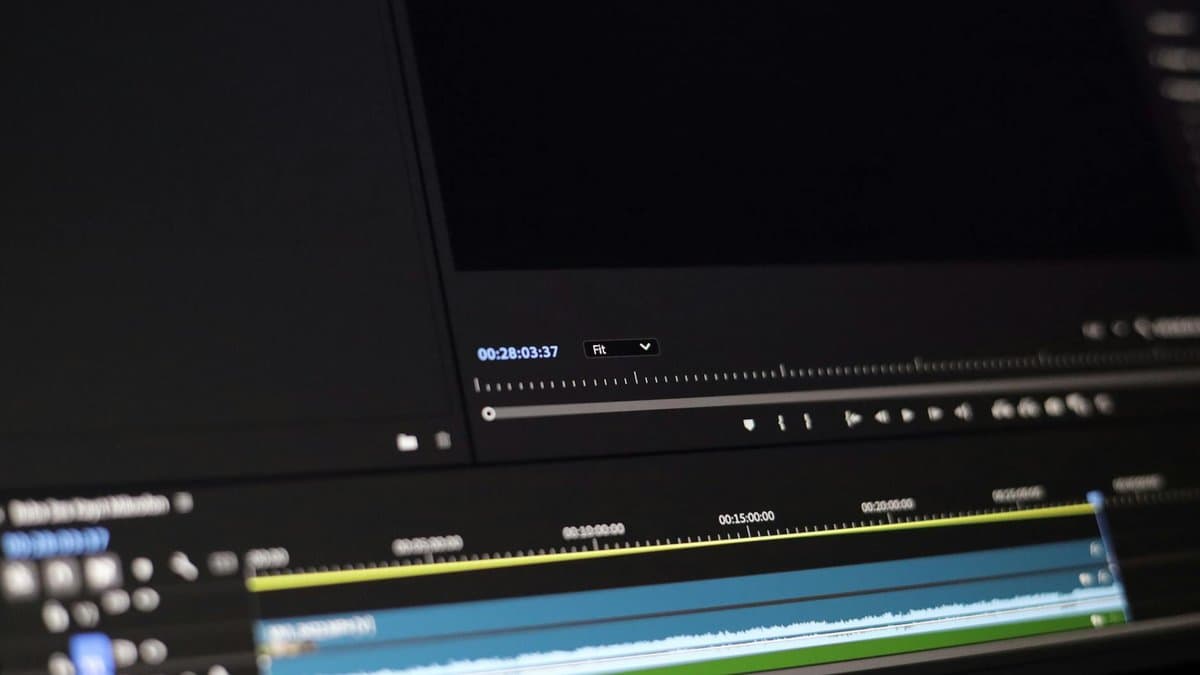
While AI tools handle the heavy lifting, there's still an art to creating clips that genuinely resonate with your audience. Manual editing gives you the creative control to ensure every moment feels authentic, purposeful, and perfectly aligned with your brand. It's about being intentional with what you extract and how you present it to the world.
Finding Your Interview's Gold Nuggets
The magic happens when you actively hunt for those moments that make people stop scrolling and actually listen. According to Bright Coding, the best clips come from identifying actionable advice, powerful emotional beats, or relatable struggles that viewers instantly connect with.
As you review your interview footage, ask yourself: Where did the conversation feel most real? When did the guest share something that made you lean in? Those moments—the vulnerable admission, the surprising solution, the laugh-out-loud joke—are your hook-worthy soundbites. Mark them as you go, creating a timeline of potential clips that deserve the spotlight.
Pro Tip: Create a simple spreadsheet with timestamps and brief descriptions of standout moments. This saves you hours during the editing phase.
Maintaining Context and Brand Voice
Here's where many creators trip up: extracting a quote out of context can completely change its meaning. According to Klap, maintaining the speaker's original intent while editing for brevity is crucial to building audience trust. When you pull a soundbite, ensure the surrounding context still supports the message—even if you trim for time.
Your brand voice matters too. If your channel celebrates authenticity and vulnerability, avoid clips that feel overly polished or robotic. If you're known for professional expertise, steer clear of overly casual moments that might undermine credibility. Every clip should feel like it belongs in your content ecosystem.
Warning: Don't sacrifice authenticity for virality. A clip that goes against your brand's integrity will damage trust faster than any algorithm boost can help.
Best Practices for Compelling Visuals
A great soundbite needs equally great visuals to land properly. Incorporate B-roll, reaction shots, and dynamic cuts to elevate your storytelling and keep viewers engaged throughout those crucial first three seconds. Research shows that the opening moments are absolutely critical—if you don't hook them then, they're gone.
Think about visual variety: intercut talking head footage with b-roll that illustrates the point being made, add quick reaction shots to emphasize key moments, and use subtle transitions to maintain momentum. A strong 3-second visual or auditory hook—whether it's a surprising statement, a compelling visual, or a sudden cut—immediately captures attention and signals that this clip is worth their time.
The combination of authentic extraction and intentional editing creates clips that don't just perform well—they actually deserve to perform well.
Now that you've created clips that are both authentic and polished, it's time to make sure they actually reach the people who'll love them. Let's dive into the strategies that'll get your best clips in front of the right audience across every platform.
Optimizing & Distributing Your Short-Form Interview Clips
You've got your clips in the can—now it's time to make sure they actually reach your audience. The magic happens when you optimize these clips for different platforms and create a streamlined system that keeps content flowing consistently. Let's break down how to maximize your clips' potential across all the places where your audience hangs out.
Platform-Specific Formatting Essentials
Not all screens are created equal, and that's where most creators stumble. Vertical video is non-negotiable for TikTok, Instagram Reels, and YouTube Shorts—these platforms are built for mobile-first consumption, and horizontal or square formats just don't cut it anymore. According to Klap, optimizing interview clips for vertical screens significantly increases engagement rates, as the native format ensures your content takes up the entire viewer's screen without awkward letterboxing.
The beauty of vertical formatting is that it feels intimate and intentional—viewers see your content exactly as you designed it. Aim for a 9:16 aspect ratio as your baseline, and always export at the highest quality your platform allows. Remember, each platform has its own sweet spot for video length: TikTok thrives with 15-60 second clips, Instagram Reels perform best at 15-90 seconds, and YouTube Shorts can handle up to 60 seconds effectively.
Pro Tip: Create your clips with built-in padding on the sides to accommodate platform-specific elements like buttons and overlays. This ensures your interview subject stays in frame and fully visible across all devices.
Leveraging Captions and Dynamic Editing
Here's something most creators underestimate: captions aren't optional—they're essential. According to Clipping Agency, videos with captions receive 80% more views because they work for viewers in noisy environments, at work, or simply preferring to watch without sound. That's not just a nice-to-have; it's a game-changer for reach.
Beyond basic captions, think about adding on-screen text highlights, pull quotes, and dynamic graphics that emphasize key points from the interview. Trending sounds and platform-native effects should be your secret weapons—they signal to algorithms that your content is current and engaging. Consider using tools that automate caption generation while maintaining accuracy, so you can focus on the creative elements that make your clips stand out.
Streamlined Workflow & Performance Tracking
Creating clips one-by-one is a recipe for burnout. Instead, batch your clipping process—dedicate a few hours to extracting all clips from one interview at once, then schedule them across platforms using a content calendar. This approach keeps you consistent without feeling like you're constantly creating.
Track performance metrics religiously. Which clips get the most views? Where do people engage most? Your analytics are a roadmap for refining your strategy. Set up a simple spreadsheet to monitor view counts, engagement rates, and click-throughs by platform. Over time, you'll notice patterns—maybe your audience loves behind-the-scenes moments, or perhaps they engage most with concrete tips. Use these insights to shape your next batch of clips.
Key Point: A multi-platform repurposing strategy extends your content's lifespan significantly. One strong interview can generate 15-20 individual clips that reach different audience segments across different platforms over several weeks.
By combining smart formatting, engaging captions, and systematic distribution, you transform a single 45-minute interview into a content powerhouse that keeps working for you long after the camera stops rolling.
Now that you've discovered how to maximize every piece of content you create, let's tie it all together and explore the key takeaways that'll transform your content strategy moving forward. Here's what you need to remember as you implement these repurposing techniques into your own workflow.
Conclusion
Here's what we've covered: repurposing interview content isn't just a nice-to-have—it's essential for maximizing your ROI and meeting where your audience actually spends their time. You've learned that whether you lean on AI automation or take a hands-on editing approach, the real magic happens when you strategically extract those moments that resonate.
The winning formula? Combine smart tools with intentional strategy. Use AI to surface potential viral moments and automate the heavy lifting, then apply your creative judgment to ensure authenticity shines through. Don't forget the fundamentals: optimize for platform-specific formats, add captions that grab attention, and always track what's actually working.
The good news is you don't have to choose between speed and quality. Tools like AutoShorts can help automate the clipping and caption process, letting you focus on strategy rather than getting bogged down in manual editing—so you're free to amplify your message across multiple platforms without sacrificing hours.
Your interview content deserves a second (and third, and fourth) life. Stop letting those golden insights sit in a single video. Start experimenting with these strategies today, and watch your social media presence grow. Your audience is waiting for those bite-sized insights—give them what they're looking for.
Frequently asked questions
You can turn interview videos into engaging social clips by either using AI clip generator tools that automatically identify viral moments, or manually extracting compelling soundbites and quotes. The most efficient approach combines both methods: let AI handle the initial heavy lifting to identify key moments, then refine and optimize clips for specific platforms like TikTok, Instagram Reels, and YouTube Shorts. This workflow typically allows you to extract 7+ pieces of content from a single interview.
Popular AI repurposing platforms like Klap and Flixier are used by over 1 million creators daily and can automatically identify viral moments and suggested cuts from your interview footage. These tools use algorithms to detect high-engagement moments, transitions, and speaker changes, significantly reducing manual editing time. While AI tools excel at speed and pattern recognition, they work best when combined with human judgment to ensure authentic voice and context.
Repurposing interview videos maximizes your content ROI since a single 45-minute interview can generate 7+ optimized pieces of content, each reaching different audiences across platforms. This strategy addresses the reality that most viewers prefer short-form video—with 45% of webinar attendees watching on-demand replays—meaning your full-length interview will have limited reach if left as a single upload. By creating multiple clips, you're multiplying touchpoints and engagement opportunities without doubling your work.
Each platform requires specific optimization: TikTok and Instagram Reels prefer vertical 9:16 aspect ratios with captions and trending audio, while YouTube Shorts work well in a similar format but allow for slightly longer descriptions. You should also tailor clip length—shorter 15-30 second hooks for TikTok, slightly longer 30-60 second segments for Reels and YouTube Shorts—and adjust your calls-to-action based on platform norms. Extracting quotes that align with each platform's audience interests will significantly boost engagement rates.
Using AI clip generator tools can reduce clip creation from hours of manual work to just 15-30 minutes for a full interview, since the AI automatically identifies and cuts viral moments. Manual extraction of authentic quotes and soundbites typically takes longer but gives you more creative control and ensures content authenticity. A hybrid workflow—using AI for initial cuts then refining manually—offers the best balance of speed and quality for batch clip creation.
Yes, according to repurposing experts, a single interview video can be transformed into 7+ different pieces of content through strategic clip extraction and platform optimization. This includes multiple short clips highlighting key quotes, separate videos for different audience segments, carousel posts, and audiogram clips for different platforms. The key is viewing your interview as a content goldmine rather than a single asset—each insight, story, and quote can be repurposed into distinct, engaging social media content.
AI tools save significant time by automatically identifying potential viral moments and suggesting cuts, making them ideal for high-volume batch processing of interview content. Manual editing gives you more creative control, ensures authentic context preservation, and allows you to extract nuanced quotes that AI might miss. The most effective approach combines both: use AI to quickly identify promising moments, then manually refine, add context, and optimize for maximum impact and brand alignment.