Learn how AI automatically detects and extracts engaging moments from long videos. Save 200+ hours yearly with smart clipping tools for TikTok, Reels & Shorts.
Blog Post Introduction
You just finished recording a 90-minute podcast, webinar, or livestream. Buried inside are dozens of viral-worthy moments perfect for TikTok, Instagram Reels, and YouTube Shorts. But here's the thing—manually hunting down those gems and editing them into polished clips? That's easily 10-15 hours of work you probably don't have in your week.
What if we told you that you don't have to?
AI-powered video clipping tools now automatically scan long-form content, identify engaging moments based on audio cues and visual patterns, and generate platform-optimized short clips in under 5 minutes. We're talking about saving up to 200 hours yearly while boosting engagement by an average of 12%—without lifting a finger.
But here's what most creators don't realize: not all AI clipping tools are created equal. Some nail it for podcast content but fail spectacularly on livestreams. Others miss the subtle moments that actually get shares. And plenty of creators waste time wrestling with clunky workflows that end up slower than doing it manually.
In this guide, we're cutting through the hype. You'll learn exactly how AI moment detection actually works, which tools deliver real results for your content type, and how to build a clipping workflow that scales from your first upload to distributing across every platform. Let's dive in.
Now that you know what's possible, let's talk about the magic behind it all—because before you can extract those golden moments, you need to understand how AI actually finds them in the first place. Ready to peek under the hood?
How AI Detects Engaging Moments in Long Videos

So you've got hours of raw footage, and somewhere inside is the next viral clip. The question is: how does AI actually find it? Modern moment-detection algorithms work like highly trained editors on caffeine—scanning, analyzing, and flagging the goldmines in seconds. Rather than randomly scrubbing through your entire video, AI uses a combination of audio analysis, visual recognition, and pattern matching trained on thousands of viral clips to pinpoint exactly where the magic happens.
Understanding AI Moment Detection Algorithms
AI-powered clipping tools analyze multiple layers of signals simultaneously. According to Opus, moment detection works by examining speaker emphasis, pace changes, laughter, silence pauses, and emotional tone shifts within your audio track. When the host suddenly raises their voice, drops into a thoughtful pause, or the room erupts in laughter, the algorithm detects these shifts as potential engagement peaks.
The system doesn't just listen—it watches too. Computer vision components identify facial expressions, on-screen text overlays, scene transitions, and visual engagement peaks. Think about it: when someone's eyes widen in surprise or their mouth drops open, that's a moment worth clipping. Text on screen, animated graphics popping in, or quick camera cuts all signal content that's designed to grab attention.
Pro Tip: The best AI clipping tools combine multiple detection methods rather than relying on a single signal. This multi-layered approach catches moments that pure audio analysis or visual detection would miss.
What Makes a Moment Viral According to AI
Here's where it gets fascinating: AI models trained on thousands of viral clips across platforms have learned to recognize universal patterns that grab attention. These aren't random rules—they're patterns extracted from content that actually performs well on TikTok, Instagram Reels, YouTube Shorts, and other platforms.
Research from Klap emphasizes that the system filters out filler content and flags moments with high engagement probability by comparing against benchmarks of successful clips. But here's the nuance: what goes viral on a comedy podcast differs from what pops on an educational channel. That's why algorithms adapt to different content types. Interviews highlight key quotes and surprising statements. Educational content emphasizes clear explanations and "aha moments." Entertainment clips prioritize reactions, expressions, and comedic timing.
Key Point: AI doesn't just detect moments—it understands context and platform dynamics, which means it can tailor recommendations to your specific content type and audience.
Why Audio and Visual Cues Matter
Neither audio nor visuals alone tell the complete story. When you combine them, though? That's where engagement detection becomes powerful. A speaker's voice might shift to indicate they're about to drop something important, while their facial expression reinforces that this is a pivotal moment worth capturing.
The synergy between these signals is what makes modern AI clipping so effective. A sudden laugh without visual reaction might just be a light chuckle. But laughter combined with someone's face lighting up and an on-screen caption popping in? That's a guaranteed engagement moment. By processing audio and visual information together, AI achieves what used to take hours of manual review—identifying dozens of clippable moments in a single pass.
Now that you understand how advanced detection works to keep your content strategy sharp, let's explore the tools that can actually create those viral-worthy clips in the first place. We've tested the top AI clip generators on the market, and we're ready to show you which ones deserve a spot in your content toolkit.
The Best AI Clip Generator Tools Compared
Choosing the right AI clipping tool depends on your content type, workflow, and platform goals. Let's break down the standout options and what makes each one special for different creators.
Top Tools by Use Case
OpusClip leads the pack for creators chasing viral moments. According to Opus, the platform analyzes trending patterns and viewer engagement signals to automatically identify the most shareable segments in your content. This makes it perfect if you're producing long-form podcasts or interviews where authenticity drives virality.
StreamYard shines for live content creators. Instead of hunting through recordings later, you can literally say "clip that" during your livestream, and the platform marks the moment in real-time. This hands-free approach cuts post-production time dramatically.
VEED excels in post-production polish, offering automatic caption generation and multi-format export in one workflow. Perfect for creators who want polished, professional-looking clips without wrestling with multiple tools.
Munch AI specializes in long-form content like podcasts and webinars, automatically extracting key quotes and discussion points that naturally work as standalone clips. Cutlabs saves 4+ hours weekly by supporting videos up to 8 hours long with instant moment searching—ideal for webinar hosts and podcast networks.
Pro Tip: Test 2-3 tools with your actual content before committing. Each tool's AI "taste" varies slightly based on its training data.
Speed and Automation Features
Research from Klap shows that automation depth varies significantly across platforms. Some tools require you to review AI suggestions before finalizing clips, while others deliver polished, ready-to-post content in under 5 minutes.
The speed advantage comes down to how much AI handles without human input. Tools that auto-generate captions, add transitions, and apply brand colors save you the most time. If you're processing multiple videos weekly, this compounds into serious time savings.
Platform Optimization Capabilities
Each tool handles platform-specific formatting differently—and getting this right is crucial. TikTok demands vertical (9:16) aspect ratios, Instagram Reels work best at 1:1 square, while YouTube Shorts prefer 16:9 widescreen. The best tools automatically resize and reframe your clips for each platform without quality loss.
Key Point: Some tools batch-export clips in all three formats simultaneously, while others require manual selection. This makes a huge difference when you're repurposing one long video across multiple platforms.
Now that you know what to look for in a tool, let's walk through exactly how to set up an efficient workflow from start to finish. I'll show you how to take advantage of these features to turn one video into a multi-platform powerhouse in just a few steps.
Step-by-Step Workflow: From Upload to Distribution
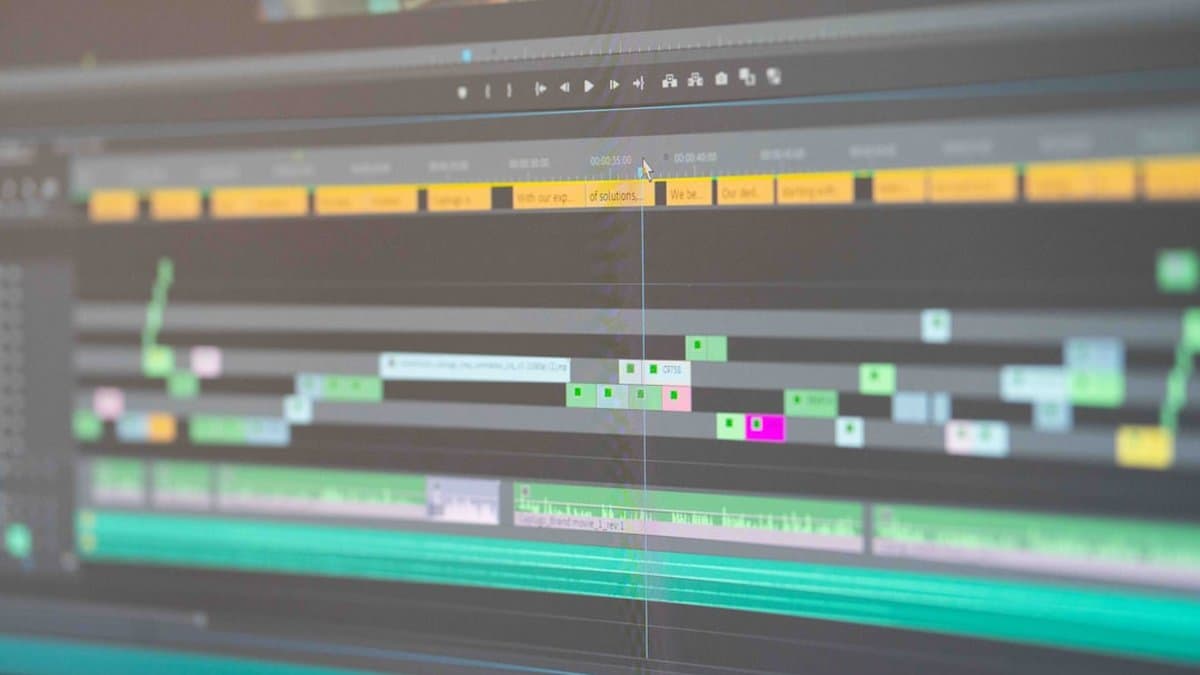
Now that you've chosen your AI clipping tool and understand how the technology works, it's time to put it into action. The beauty of modern AI clip generators is that the entire workflow—from uploading your long-form content to publishing across multiple platforms—is surprisingly straightforward. Let's walk through each stage so you can start turning your 90-minute podcasts and webinars into viral-ready clips in minutes, not hours.
Uploading and Processing Your Long Video
Getting started is as simple as dragging and dropping. Most AI clipping tools support video files up to 8 hours long, which covers everything from podcasts and webinars to livestreams and conference recordings. Once you upload, the AI immediately begins scanning your content—no waiting around for processing queues that take days.
According to Opus, modern AI tools can generate 10-30 clip suggestions within minutes by analyzing audio patterns, speaker energy, audience reactions, and visual transitions. This automation eliminates the tedious timeline-scrubbing that used to consume hours of editor time. Your job at this stage? Just wait. The AI does the heavy lifting.
Pro Tip: Upload during off-peak hours if your tool shows processing speed estimates. Some platforms prioritize uploads based on server load.
Reviewing and Customizing AI-Generated Clips
Here's where human judgment shines. The AI has done the scanning, but now you become the curator. Review the suggested clips and select the moments that truly resonate with your brand and audience. This is crucial—while AI is remarkably good at spotting engagement spikes (tone shifts, laughter, applause), it can't always understand context or your specific content strategy.
As highlighted by Klap, the most effective approach combines AI detection with human curation. You might notice the AI flagged a funny moment, but it missed the follow-up punchline that actually lands harder. That's your moment to make manual adjustments. Once you've selected your winners, customize each clip with branded intros, adjusted captions, and trimmed lengths to match platform specs.
Key Point: AI rarely misses the obvious engagement spikes, but human eyes catch the nuanced moments that make clips truly viral.
Optimizing for Multiple Platforms
Different platforms have different appetites. TikTok rewards fast-paced, vertical 15-60 second clips. Instagram Reels prefer similar formats but with slightly different aspect ratios. YouTube Shorts work best at 15-60 seconds in vertical orientation. LinkedIn demands more professional tone and slightly longer segments (30-90 seconds).
Rather than manually re-editing each clip for every platform, modern AI tools let you optimize clips for multiple formats simultaneously. You adjust captions once, set your branding guidelines once, and the tool automatically reformats for each platform's specifications. This is where your workflow accelerates dramatically—what used to take 3-4 hours now takes 10 minutes.
Publishing Directly to Social Channels
The final step is almost anticlimactic in its simplicity. Most modern AI clipping tools offer one-click multi-platform publishing, meaning you can send your polished clips directly to TikTok, Instagram, YouTube, and LinkedIn without ever leaving the tool. No downloading, no switching between apps, no re-uploading files multiple times.
After publishing, track performance metrics to see which AI-selected moments actually drive engagement on each platform. This feedback loop is invaluable—over time, you'll start to understand which types of clips your audience responds to, and you can provide that insight back into your content strategy for future long-form recordings.
Warning: Always review captions and branding one final time before publishing. Automated systems occasionally misinterpret audio quality or context, and you want your clips polished before they go live.
Now that you've got your individual clips polished and ready, let's talk about how to keep that same level of quality across all your content as you start producing more. We'll explore some practical systems and strategies that help you maintain your brand voice and video standards, even when you're juggling multiple projects at once.
Maintaining Quality and Brand Consistency at Scale
Here's the reality: AI is incredibly powerful at detecting engaging moments, but you're still the boss. The best creators don't just accept whatever the algorithm generates—they use AI as a creative partner that handles the heavy lifting while they maintain complete creative control. When you're clipping dozens of videos per month, this hybrid approach becomes essential for scaling without sacrificing what makes your brand unique.
The Human-AI Hybrid Approach
Think of AI moment detection as your tireless research assistant. It watches every second of your footage, flags potential clips, and presents them to you for review. But here's where your expertise comes in: you decide what actually gets published. According to Async, creators who implement this review-and-approve workflow maintain significantly higher quality standards across their content libraries while still dramatically reducing production time.
The workflow is straightforward. After AI generates clip suggestions, spend 15-20 minutes reviewing them with fresh eyes. Ask yourself: Does this clip represent my brand accurately? Is the audio clear? Does it have a strong hook in the first three seconds? Does it fit my audience's expectations? This quick quality gate prevents mediocre content from damaging your reputation, even when you're producing at scale.
Pro Tip: Batch your review sessions into dedicated time blocks rather than checking clips throughout the day. You'll make faster, more consistent decisions when you're in "editing mode."
Setting Up Custom Detection Parameters
Not all content is created equal, and your AI settings shouldn't be either. A motivational speech requires different clipping sensitivity than a comedy podcast—one might need longer, more reflective moments while the other thrives on rapid-fire punchlines. According to Opus, customizing detection parameters based on your content type is one of the most underutilized features creators have access to.
Start by experimenting with sensitivity levels. Educational content often benefits from medium sensitivity (catching those "aha!" moments without over-clipping), while entertainment content might use high sensitivity to capture every laugh and reaction. Beyond sensitivity, you can customize:
Spend an afternoon testing these settings on 2-3 representative videos. Once you find your sweet spot, save these configurations as templates you can apply to future uploads in seconds.
Key Point: Your detection parameters should evolve as your audience and brand grow. Review and adjust them quarterly based on which clips actually get the highest engagement.
Building a Content Quality Checklist
Consistency is the secret ingredient that separates brands people trust from ones that feel scattered. When you're producing multiple clips weekly, a detailed quality checklist prevents drift. Your checklist should cover every visual, audio, and messaging element that defines your brand.
Create a document that includes:
- Intro/outro styles: Do you always use the same 3-second graphic? Same background music?
- Color grading: Are all clips using the same LUT (Look-Up Table) or color profile?
- Caption formatting: Consistent font, size, color, and positioning across all clips
- Music selections: Approved track library with licensing confirmed
- Messaging tone: Brand voice guidelines (formal vs. casual, humor level, vocabulary)
- Call-to-action standards: Where CTAs appear, what they say, visual design
Before publishing any clip, run it through this checklist. It takes 60 seconds and prevents the "this doesn't feel like our brand" moment that kills viewer trust.
Warning: Skipping the checklist to save time almost always backfires. Inconsistent branding makes your entire content library look less professional, even if individual clips are great.
One final strategy: batch process multiple videos simultaneously. Upload 5-10 videos to your AI tool at once, let them all process overnight, then spend 2-3 hours the next morning reviewing all the generated clips and applying your checklist. This workflow beats processing one video at a time because you're in a focused, efficient state of mind.
Don't throw away rejected clips either. Archive them in a separate folder. Research shows that clips the AI flagged as engaging but you rejected often represent genuine audience interest—they're content goldmines for future videos or A/B testing different styles with your audience.
Now that you understand how to identify and leverage those hidden content opportunities, let's talk about the practical side of things—because discovering goldmines doesn't mean much if you're breaking the bank on tools to find them. Let's dive into the cost analysis of free versus paid video analytics platforms and figure out which investment makes sense for your channel's ROI.
Cost Analysis: Free vs. Paid Tools and ROI Considerations
Here's the real question: Does upgrading actually make financial sense for your workflow? The answer depends on your content volume, publishing frequency, and how you value your time. Let's break down the numbers so you can make a decision that actually moves the needle for your business.
Free Tier Limitations
Free AI clip generators sound great until you hit their ceiling. According to Opus, free tools like certain versions of VEED and OpusClip typically generate only 3-5 clips monthly with watermarks stamped across your video—a deal-breaker if you're trying to maintain a professional brand. You'll also face limited customization options, slower processing times, and minimal analytics to understand what's actually working.
The watermark issue alone can tank your credibility. Free tools also restrict where you can export clips and often cap your video upload length or file size. For casual content creators testing the waters, these limitations might be tolerable. But the moment you're serious about scaling, you'll feel the constraints.
Warning: Free tier watermarks can seriously damage your professional credibility, especially if you're pitching to clients or building a personal brand.
Paid Plans and Pricing Models
Paid plans typically range from $20–$99 monthly, depending on the platform and feature set. At this level, you unlock unlimited clip generation, priority processing speeds, advanced analytics dashboards, and white-label options that remove all branding. Research from Oreate AI highlights that mid-tier paid tools are the sweet spot for most creators and small agencies, offering serious functionality without enterprise-level pricing.
If you're managing multiple creator accounts or need centralized approval workflows, enterprise solutions ($500+/month) provide customizable integrations and dedicated support. The jump in price reflects the scale—these plans handle 50+ clips weekly across different team members.
Free Plan
Standard Paid
Enterprise
Calculating Your Time-Savings ROI
Here's where the math gets compelling. If AI saves you 4 hours weekly—time spent manually editing and exporting clips—that translates to roughly $160–$400 monthly in reclaimed time, depending on your freelance or creator rate. Most paid tools pay for themselves in a single month through time savings alone.
Let's say you're a freelancer charging $50/hour and a paid tool costs $50/month. If it saves you even one hour per week, you've broken even. Any time savings beyond that is pure profit. For creators publishing 10+ clips weekly, upgrading isn't optional—it's essential to your workflow efficiency.
Pro Tip: Calculate your hourly rate, multiply by weekly hours saved, then compare that to the monthly tool cost. If the hours saved exceed the subscription, upgrade immediately.
The equation is straightforward: occasional publishers (fewer than 5 clips weekly) can comfortably stick with free options, while active content creators should invest in paid tools to reclaim bandwidth for strategy and audience engagement.
Now that you've got a clear picture of which tools match your content creation style, let's wrap up everything we've covered and help you decide on your next steps. Whether you're just starting out or scaling up your clips operation, here's what you should take away from this guide.
Conclusion
Here's what we've covered: AI clip extraction eliminates the biggest pain point in short-form content creation—those endless hours hunting through footage for the best moments. Modern tools scan your videos in seconds, analyzing audio, visuals, and engagement patterns against thousands of viral benchmarks to surface content gold automatically.
The real power? A hybrid workflow that combines AI detection with your human judgment. Let the algorithm do the heavy lifting, then refine based on what actually resonates with your audience.
The math is compelling. Free tools work great for testing the waters, but most creators see ROI within 1-2 months with paid plans that handle batch processing and platform optimization. When you save 200-300 hours annually, that's time redirected toward publishing more content, reaching larger audiences, and honestly—burning out way less.
Here's what to do next: Start with a free trial on OpusClip or StreamYard to test AI moment detection with your actual content. You'll see within minutes how much bandwidth this saves. Ready to automate your entire workflow with captions and multi-platform formatting? Tools like AutoShorts handle batch processing seamlessly, letting you focus on strategy instead of manual editing.
Track which AI-selected clips drive engagement on each platform, then refine your parameters based on real performance data.
Your best clips are already in your videos—AI just helps you find them faster.
Frequently asked questions
AI-powered moment detection works by simultaneously analyzing audio cues (speaker emphasis, laughter, tone shifts), visual patterns (facial expressions, scene transitions), and emotional peaks trained on thousands of viral clips. The algorithm scans for engagement signals like sudden voice raises, thoughtful pauses, on-screen text overlays, and visual surprises—essentially mimicking what a professional editor would flag as worth clipping.
AI video clipping solutions can transform a 90-minute podcast, webinar, or livestream into dozens of platform-ready clips in under 5 minutes, saving creators up to 200 hours yearly. What would traditionally take 10-15 hours of manual hunting and editing is now automated, allowing you to focus on content strategy rather than tedious editing work.
Not all AI clip generators perform equally across content types—some excel at identifying podcast moments through audio analysis but struggle with livestream dynamics where visual engagement peaks matter more. When choosing a tool, verify that it's optimized for your specific content type, whether that's interview-based podcasts, educational webinars, or entertainment livestreams.
Yes, modern AI clip generator tools can now automatically format clips for TikTok, Instagram Reels, YouTube Shorts, and LinkedIn with a single click. This means you can take one viral moment and optimize it for each platform's unique aspect ratio, duration requirements, and audience preferences without additional manual editing.
A hybrid workflow pairs AI's automated moment detection with human curation—letting the algorithm flag potential clips while you review and refine selections based on your brand voice and strategy. This approach balances efficiency with quality control, ensuring the algorithm catches moments you might miss while you maintain creative oversight over what actually goes live.
AI analyzes multiple engagement signals simultaneously: audio-based cues include speaker emphasis changes, laughter bursts, silence pauses, and emotional tone shifts, while visual components detect facial expressions, eye movements, on-screen text, and animated graphics. When these signals align—like someone's eyes widening in surprise coinciding with a voice inflection—the algorithm flags it as a high-engagement moment worth clipping.