Save 25+ minutes per video with cross-platform scheduling. Post to TikTok, Instagram Reels, YouTube Shorts & more simultaneously. Complete guide inside.
Introduction
You just spent three hours editing the perfect 60-second video. Now you're facing the soul-crushing reality of uploading it manually to TikTok, Instagram Reels, YouTube Shorts, and Facebook Reels—copying captions, adjusting hashtags, and clicking through six different apps. There has to be a better way.
Here's the thing: the most successful creators aren't spending 30-45 minutes per video on manual uploads. They're using smart scheduling workflows that let them post to all platforms simultaneously in under 3 minutes flat.
If you're currently juggling multiple apps just to share the same content, you're leaving 10+ hours per week on the table—time you could spend actually creating, engaging with your audience, or growing your business.
The Real Problem: Manual cross-posting isn't just tedious; it's a consistency killer. Missed posting times mean algorithmic penalties. Rushed captions mean missed engagement. Duplicated effort means burnout.
This guide walks you through exactly how to build a cross-posting system that maintains platform-specific optimization while cutting your upload time to mere minutes. You'll discover which tools actually work, where automation shines, and—just as importantly—when it's worth spending an extra 30 seconds on platform-specific tweaks that move the needle.
Let's reclaim those hours.
So how do you actually reclaim those hours without sacrificing the quality that makes your content worth sharing in the first place? The answer lies in smart cross-platform scheduling—a strategy that automates the repetitive work while keeping you in control of what matters.
Why Cross-Platform Scheduling Beats Manual Posting
You already know the drill: edit, upload to TikTok, switch apps, upload to Instagram Reels, adjust captions, move to YouTube Shorts, tweak hashtags again, hit Facebook Reels... and you're looking at 30-45 minutes of pure repetitive work per video. According to ShortSync, creators who abandon manual posting and switch to cross-platform scheduling reduce this time to just 3-5 minutes. That's not a small optimization—it's a complete game-changer for how you spend your creative energy.
But time savings are just the opening act. The real magic happens when you understand how scheduling transforms your growth trajectory and audience reach.
The Time-Saving Math That Changes Everything
Let's do some quick math that'll make you never want to manually post again. If you're publishing five shorts per week (a solid content cadence), you're currently spending 2+ hours weekly just on uploading and reformatting. That's roughly 8+ hours monthly—time you could spend brainstorming ideas, studying trends, or creating better content.
According to Socialync, creators using batch scheduling workflows see measurable improvements in consistency and output quality. When you save 25 minutes per post across five weekly uploads, those hours compound into entire days saved monthly. Imagine redirecting that time toward actual content strategy instead of mechanical clicking.
Pro Tip: The time you save isn't just nice-to-have—it directly translates to more videos created, better planning, and ultimately faster channel growth.
How Consistency Drives Algorithm Performance
Here's what separates fast-growing creators from the rest: consistency beats sporadic posting every single time. Research from ShortSync confirms that creators using planned, batch-scheduled posting grow 3-5x faster than those posting reactively without a schedule.
Platform algorithms reward predictability. When you publish on a set schedule—every Monday, Wednesday, and Friday at 10 AM—the algorithm learns to push your content in front of viewers at peak engagement times. TikTok, YouTube, and Instagram all prioritize consistent creators in their recommendation systems. One week of sporadic bursts followed by radio silence? That tanks your visibility harder than you'd think.
Key Point: Scheduled posting isn't just convenient—it's fundamentally how modern algorithms determine which creators deserve visibility and growth.
Reaching Different Audiences Where They Actually Are
Here's the uncomfortable truth most creators ignore: your TikTok audience is not your YouTube audience is not your Instagram audience. These platforms have wildly different demographics and user behaviors.
TikTok's algorithm is optimized for Gen Z and younger millennials who crave raw, authentic content at lightning speed. YouTube Shorts reaches across all age groups but performs best with slightly more polished content. Instagram Reels captures users who deliberately avoid downloading TikTok and skew slightly older. Facebook Reels? That's where your parents' demographic scrolls. One video, posted identically everywhere, will underperform because you're not speaking to each audience's actual preferences.
Cross-platform scheduling lets you post once and reach everywhere simultaneously—but smart creators then go back to fine-tune captions, hashtags, and hooks for each platform's unique culture. You're not creating six different videos; you're creating one great video and optimizing it for six different rooms.
The bottom line: scheduling isn't about laziness—it's about working smarter and reaching more people in the time you'd otherwise waste on busywork.
Now that you understand why scheduling matters, let's talk about the how—because not all scheduling methods are created equal. Whether you're choosing between your platform's built-in tools or going third-party, the right choice can make all the difference in your content strategy.
Native Scheduling vs Third-Party Tools: What Actually Works
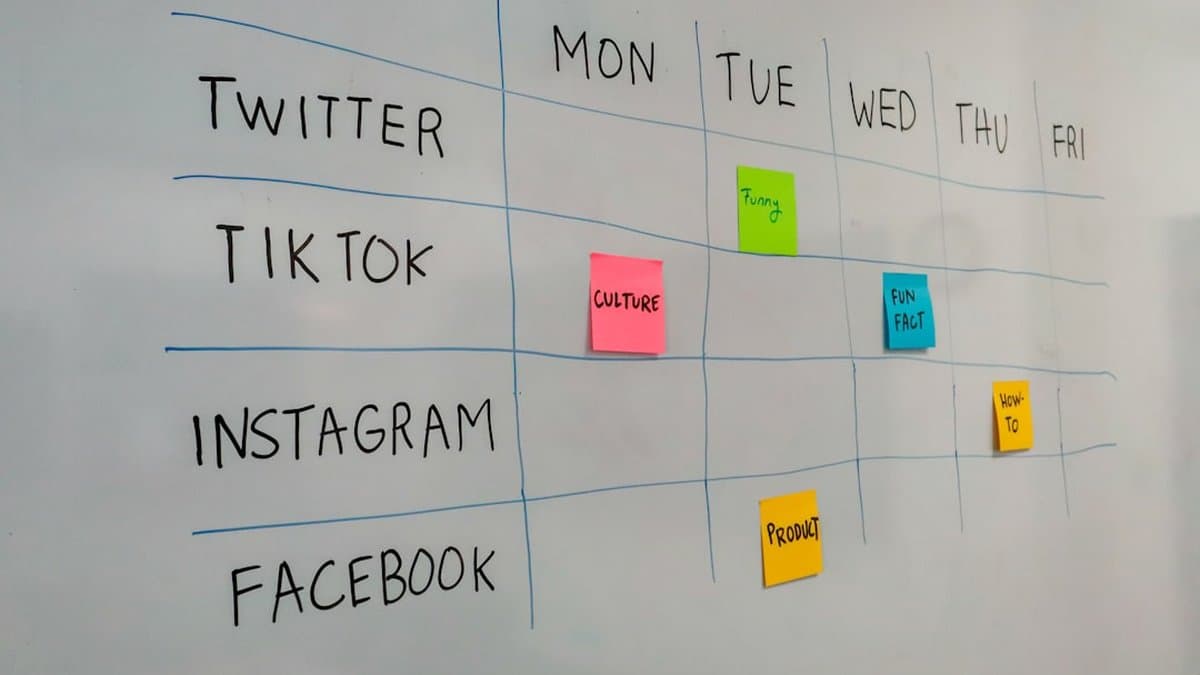
Here's the reality: TikTok, Instagram, YouTube, and Facebook all offer native scheduling now—but they're not created equal. Each platform has different restrictions, different features, and different workflows. The question isn't whether native scheduling works. It's whether it's enough for your needs.
Let's break down what actually works and what doesn't, so you can decide on the best approach for your content strategy.
Platform Native Scheduling Features and Limitations
Good news: all four major platforms now support scheduling. Bad news: they all have significant limitations that make cross-platform posting feel like you're back to square one.
According to Socialync, native scheduling requires separate logins and manual caption rewrites for each platform—there's no true cross-posting capability built in. TikTok lets you schedule up to 10 videos, but captions need platform-specific formatting. Instagram Reels scheduling works smoothly, but YouTube Shorts has different aspect ratio recommendations and hashtag rules. Facebook Reels operate on their own timeline entirely.
The core issue? Each platform demands its own attention. You're still opening multiple apps, adjusting copy for each audience, and managing separate upload queues. It saves you from the live-posting chaos, but you're still investing significant time per platform.
Warning: Native scheduling doesn't truly save you time if you're managing multiple platforms—you're just scheduling the same repetitive work instead of doing it live.
When Third-Party Tools Are Worth It
This is where third-party tools with official API access change the game. According to ShortSync, tools that use official APIs let you upload once and distribute everywhere with platform-specific customization. You edit your video once, write your main caption once, and the tool automatically adapts it for TikTok's audience, Instagram's algorithms, YouTube's SEO preferences, and Facebook's user base.
The efficiency gain is real: tools using official APIs are safer than workarounds and support reliable scheduling features that actually stick. No more mysterious disappeared posts or shadowbans from using unofficial methods.
Pro Tip: The best workflow combines native features for single-platform campaigns with cross-posting tools for multi-platform distribution. Use what works, skip what doesn't.
API Access and Account Safety Considerations
Not all third-party tools are created equal. Tools using official API access from each platform are dramatically safer than those relying on browser automation or workarounds. Official APIs mean the platforms have approved the integration, which protects your account from unexpected suspensions.
When evaluating a tool, ask: Does it use official Twitter/TikTok/Instagram/YouTube APIs? If yes, you're working with the platform's blessing. If it uses automated browser clicks or unofficial integrations, you're gambling with your account's health.
The bottom line: native scheduling handles single-platform campaigns beautifully, but multi-platform creators need tools that respect both efficiency and safety.
Now that you understand when and why cross-posting works best, let's actually get you set up to do it the right way. I'll walk you through building a workflow that keeps your multi-platform strategy organized and safe, step by step.
Step-by-Step: Setting Up Your Cross-Posting Workflow

Now that you know which tools and platforms work best, it's time to build your actual workflow. This is where the magic happens—the process that lets you film once and distribute everywhere in minutes, not hours. Let's break this down into three actionable steps that you can implement today.
Preparing Your Videos for All Platforms
The foundation of any successful cross-posting strategy starts with exporting your videos in universal specifications that work seamlessly across every platform. According to ShortSync, creators who use standardized export settings experience significantly fewer compatibility issues and quality loss across platforms.
Here's exactly what you need to export for:
- Dimensions: 9:16 vertical (the golden ratio for TikTok, Instagram Reels, and YouTube Shorts)
- Resolution: 1080x1920 pixels minimum
- File Format: MP4 with H.264 codec
- Frame Rate: 30fps minimum (48fps is ideal for smooth motion)
The critical rule here: use the same file for all platforms. Never download a video from TikTok and re-upload it to Instagram—you'll inherit watermarks, compression artifacts, and quality degradation that tank your engagement. One master file, multiple destinations.
Pro Tip: Batch your exports. Edit 4-5 videos in your editing software, then export them all at once in the correct specs. This saves time and ensures consistency across your content.
Uploading Once and Customizing Captions
Here's where most creators waste time: writing the same caption five different ways. Instead, write platform-specific captions before you upload anything—all in one sitting.
Each platform has different algorithmic priorities and audience behaviors:
- TikTok captions: Focus on trending sounds, challenges, and conversational hooks. Use 1-3 hashtags max and lead with personality.
- Instagram Reels: Leverage hashtag strategy (15-25 relevant hashtags), include calls-to-action, and use line breaks for readability.
- YouTube Shorts: Write searchable titles and descriptions. YouTube's algorithm rewards keywords, so optimize for what people actually search for.
- Facebook Reels: Use casual, conversational language. Facebook's audience skews slightly older, so clarity beats trends.
According to Socialync, creators who customize captions per platform see 40% higher engagement rates compared to using identical captions everywhere. The difference matters.
Key Point: Create a simple Google Doc or Notion template with columns for each platform. Write all your captions at once, then copy-paste when uploading. This takes 10 minutes total instead of 30.
Scheduling Strategic Posting Times Per Platform
Timing is everything in short-form video. Different platforms have different peak usage times, and posting when your audience is actively scrolling dramatically increases your reach.
Here's the data-backed schedule to follow:
- TikTok: 7-9 PM (evenings when Gen Z is scrolling before bed)
- Instagram Reels: 11 AM-1 PM (lunch hour scrolling)
- YouTube Shorts: Weekends (Saturday/Sunday mornings, 9-11 AM)
- Facebook Reels: 1-3 PM (mid-day break scrolling)
The beauty of scheduling tools is that you can upload everything on Monday morning, set different posting times for each platform, and let automation handle the rest.
This workflow compounds. Once you do it twice, you'll shave another 10 minutes off your process. By week four, you're looking at genuine automation—the dream of every creator juggling multiple platforms.
Now that you've got the speed part down, let's talk about the one thing that can trip up even the most efficient creators—the fact that not every platform plays by the same rules. Before you hit publish on that automated workflow, you'll want to understand what each platform actually wants from you.
Platform-Specific Requirements You Need to Know

Here's the thing nobody tells you until you've already wasted hours uploading: each platform has its own rulebook. TikTok doesn't care about what Instagram rewards. YouTube has completely different requirements than Facebook. And if you're trying to post the exact same video to all four platforms without adjusting, you're leaving engagement on the table. Let's break down what you actually need to know before you hit that schedule button.
Video Duration and Format Differences
According to ShortSync, video length optimization is one of the biggest factors determining whether your content thrives or gets buried. TikTok performs best under 60 seconds, even though the platform technically allows 10 minutes—the algorithm prioritizes snappy, punchy content that keeps viewers watching. YouTube Shorts optimizes for 15-60 seconds and strongly favors the middle ground around 30-45 seconds for maximum watch time and retention metrics.
Instagram Reels supports up to 90 seconds, giving you a bit more breathing room for storytelling, while Facebook Reels caps out at 60 seconds maximum. The practical takeaway? Don't just export one video and hope it works everywhere. Trim your content strategically: use your tightest 45-second version for YouTube Shorts, expand slightly for Instagram's 90-second sweet spot, and keep TikTok versions punchy and under 50 seconds.
Pro Tip: Export multiple cuts of your video at different lengths during editing. It takes five extra minutes now and saves you hours of re-editing headaches later.
Caption and Hashtag Best Practices by Platform
Caption length varies dramatically across platforms, and that matters more than you'd think. According to Socialync, TikTok captions are limited to 2,200 characters, and Instagram matches that same limit. YouTube, however, supports up to 5,000 characters in the description, giving you room for detailed context, links, and storytelling that the other platforms simply don't allow.
Hashtag strategy is where most creators really miss the mark. TikTok performs best with 3-5 trending, relevant hashtags that align with your content's topic—the algorithm actually works with hashtags here, not against them. Instagram thrives with 5-8 niche hashtags that match your specific audience. YouTube prefers tags in the description field (not in the caption itself), while Facebook performs better with minimal hashtags—think 1-2, not a wall of tags.
Warning: Don't copy-paste the same hashtags across all platforms. TikTok's trending tags won't help on Instagram, and Instagram's niche tags can actually look spammy on TikTok.
Cover Images and Thumbnails That Convert
Here's where most cross-posting workflows break down: YouTube Shorts requires a custom thumbnail, even though they're vertical videos. You can't just let it auto-generate—testing custom thumbnails on YouTube Shorts can boost click-through rates by 20-30%, so it's worth the extra effort.
TikTok and Instagram handle this differently. They auto-generate thumbnail cover images directly from your video frame, so you don't need to create separate graphics. This is actually one of the few advantages of cross-posting—less work for equal visibility. But here's the catch: make sure your video's first frame is visually compelling, since that's what viewers will see as the preview.
The bottom line? Invest the extra 10-15 minutes per video to optimize for each platform's requirements. That small adjustment transforms your cross-posting strategy from "good enough" to genuinely effective, and your engagement metrics will reflect it immediately.
Now that you've got your customization strategy locked in, let's talk about the pitfalls that can derail even the best scheduling efforts. Understanding these common mistakes—and more importantly, how to sidestep them—will help you protect all that hard work you're putting into your content calendar.
Common Scheduling Mistakes and How to Avoid Them

Even with the best intentions, scheduling mishaps can tank your cross-platform strategy. The good news? Most of these mistakes are completely preventable once you know what to watch for. Let's walk through the pitfalls that trip up creators and how to sidestep them entirely.
Posting Everything at the Same Time
It's tempting to hit "schedule" once and call it a day, but posting identical content simultaneously across all platforms is a missed opportunity. Each platform has its own peak engagement windows—what works at 9 AM on TikTok might flop on Instagram. According to ShortSync, staggering your posts by 2-4 hours ensures you're catching optimal engagement windows on each platform rather than competing with yourself.
Pro Tip: Map out peak times for your specific audience on each platform, then stagger uploads accordingly. This simple adjustment can boost your overall reach by 30-40%.
Think of it like opening multiple storefronts in different time zones—you wouldn't staff them all at once. The same logic applies to your content distribution.
Using Identical Captions Across All Platforms
Copy-pasting the same caption everywhere signals low effort and wastes the discovery potential each platform offers. TikTok rewards hashtag strategies differently than Instagram, YouTube rewards longer descriptions, and LinkedIn demands professional tone. According to ShortSync, customizing captions for each platform's culture and discovery mechanisms significantly improves algorithmic performance and audience engagement.
This also means removing watermarks from other platforms—that TikTok logo on your Instagram Reel will get flagged by the algorithm and reduce your reach significantly.
Ignoring Platform-Specific Content Policies
What flies on TikTok might get shadowbanned on Instagram or demonetized on YouTube. Each platform has different rules about music licensing, political content, explicit language, and monetization eligibility. Before your scheduled post goes live, you need to know your platform's boundaries.
Warning: Always review your scheduled posts 24 hours before they publish. Check for typos, outdated information, broken links, and policy compliance issues. A quick catch prevents embarrassing or damaging posts from going live.
According to ShortSync's cross-posting guide, verifying content against each platform's community guidelines before scheduling eliminates the risk of violations catching you off-guard. Take the extra 10 minutes—it's worth protecting your account health and audience trust.
Now that you've got the tools and knowledge to schedule your content safely and effectively, let's wrap up everything we've covered and talk about how to keep the momentum going. By taking these precautions and best practices to heart, you're setting yourself up for long-term success on social media—so let's dive into our final thoughts.
Conclusion
You've got the roadmap now. Cross-platform scheduling isn't just about saving time—it's about building the consistency that algorithms actually reward. Here's what sticks:
Schedule once, reach everywhere. By using universal video specs (9:16, 1080x1920, MP4) and customizing captions per platform, you're not just posting faster—you're posting smarter. Stagger your posting times to hit each platform's optimal engagement windows, and you're no longer fighting the algorithm; you're working with it.
Choose tools with official API access. Your account safety depends on it, and your sanity depends on reliable scheduling that actually works when you need it to.
The result? You're reclaiming 10+ hours every week while your content reaches more people across more platforms. That's not a small win—that's a game-changer for creators tired of the upload grind.
Ready to start? Batch-create just three videos this week and schedule them across your platforms. Track your time savings and compare your engagement to manual posting—you'll see the difference immediately. To automate this even further, tools like AutoShorts can handle the clipping and caption work, turning one long-form video into a full week of scheduled shorts across every platform.
Your future self will thank you for the systems you build today.
Frequently asked questions
By switching from manual posting to cross-platform scheduling, you can reduce upload time from 30-45 minutes per video down to just 3-5 minutes. If you're publishing five shorts per week, that means saving over 8+ hours monthly—time you can redirect toward content creation, trend research, or audience engagement.
Native scheduling features are built directly into platforms like TikTok, Instagram, YouTube Shorts, and Facebook, but they often require uploading to each app individually. Third-party scheduling tools allow you to upload once and distribute to multiple platforms simultaneously, which is the real time-saver when learning how to schedule and post shorts across all platforms at once.
While you can cross-post the same video content, it's worth spending 30 seconds to optimize captions and hashtags for each platform's audience and algorithm preferences. Different platforms have different hashtag limits and engagement patterns, so minor platform-specific tweaks can significantly improve your reach without adding much extra effort.
All major short-form video platforms—including TikTok, Instagram Reels, YouTube Shorts, and Facebook—now support some form of scheduling functionality. This means you have the infrastructure needed to automate your posting workflow across the biggest platforms in the industry.
Creators using batch content creation and scheduling grow 3-5x faster than those posting daily without planning. This is because batch scheduling ensures consistent posting times, reduces missed uploads due to manual delays, and frees up time for strategic content optimization rather than reactive daily uploads.
Different platforms have varying content policies that may reject identical videos, which is an important consideration when cross-posting. Most scheduling tools allow you to customize or preview content before posting, giving you a chance to catch policy issues before they affect your distribution across multiple platforms.